SELF-HOSTED · YOUR DATA, YOUR SERVER
Multi-tenant backup for MSPs, on storage you control.
Backups are encrypted on each device with a key derived from a passphrase your server never receives, then written to your own S3, SMB or NFS storage. Agents for Windows, macOS, Linux and Proxmox. A tenant per client, your brand on every screen, one price.
- One-time payment
- 1 year of updates included
- Ubuntu/Debian
- S3, SMB or NFS storage
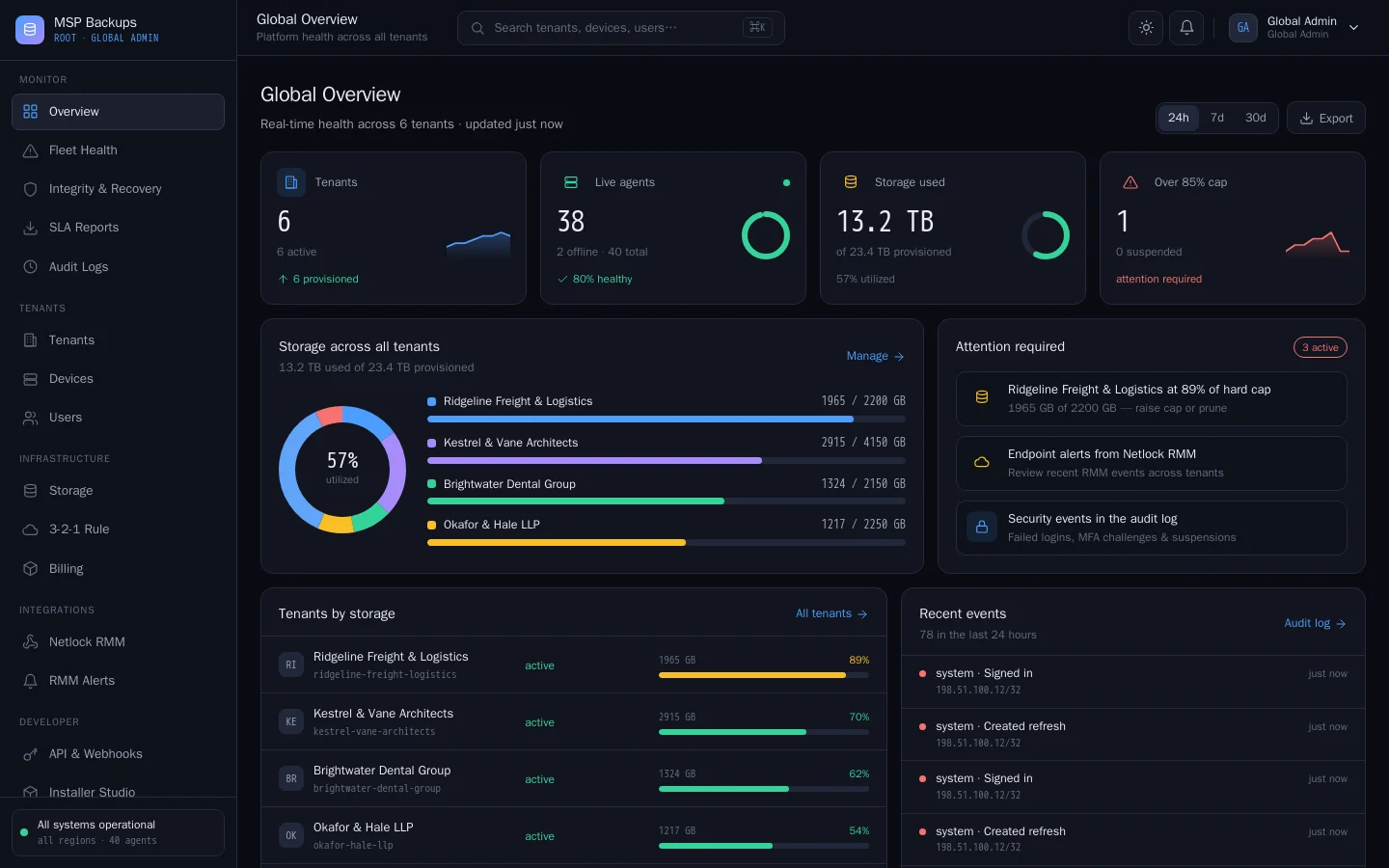
Highlights
What MSP Backups does
-
Encryption
Encrypted before it leaves the device
The agent derives the key from a backup passphrase with Argon2id. The passphrase is never sent to your server, which stores only ciphertext.
-
Immutability
Restore points that cannot be deleted early
On S3 storage every chunk is written with Object Lock in compliance mode, held at least as long as the device's retention.
-
Agents
Windows, macOS, Linux and Proxmox
One agent with a CLI on every platform and a desktop app on Windows. Database dumps and Proxmox guests run through the same encrypted pipeline.
-
Tenants
A tenant per client
Each client gets its own users, devices, storage cap, branding and portal. Postgres row-level security keeps tenants apart.
-
Verification
A weekly check that backups restore
Every week each agent decrypts its latest backup and checks every chunk against the manifest, then reports pass or fail.
-
Policies
Rules your clients cannot change
Schedules and the folders to protect are set on the server. The agent applies them on every run, whatever the user picks locally.
Tour
Real screens from MSP Backups
Taken from a demo install filled with made-up clients. Select a screen to see it full size.
-
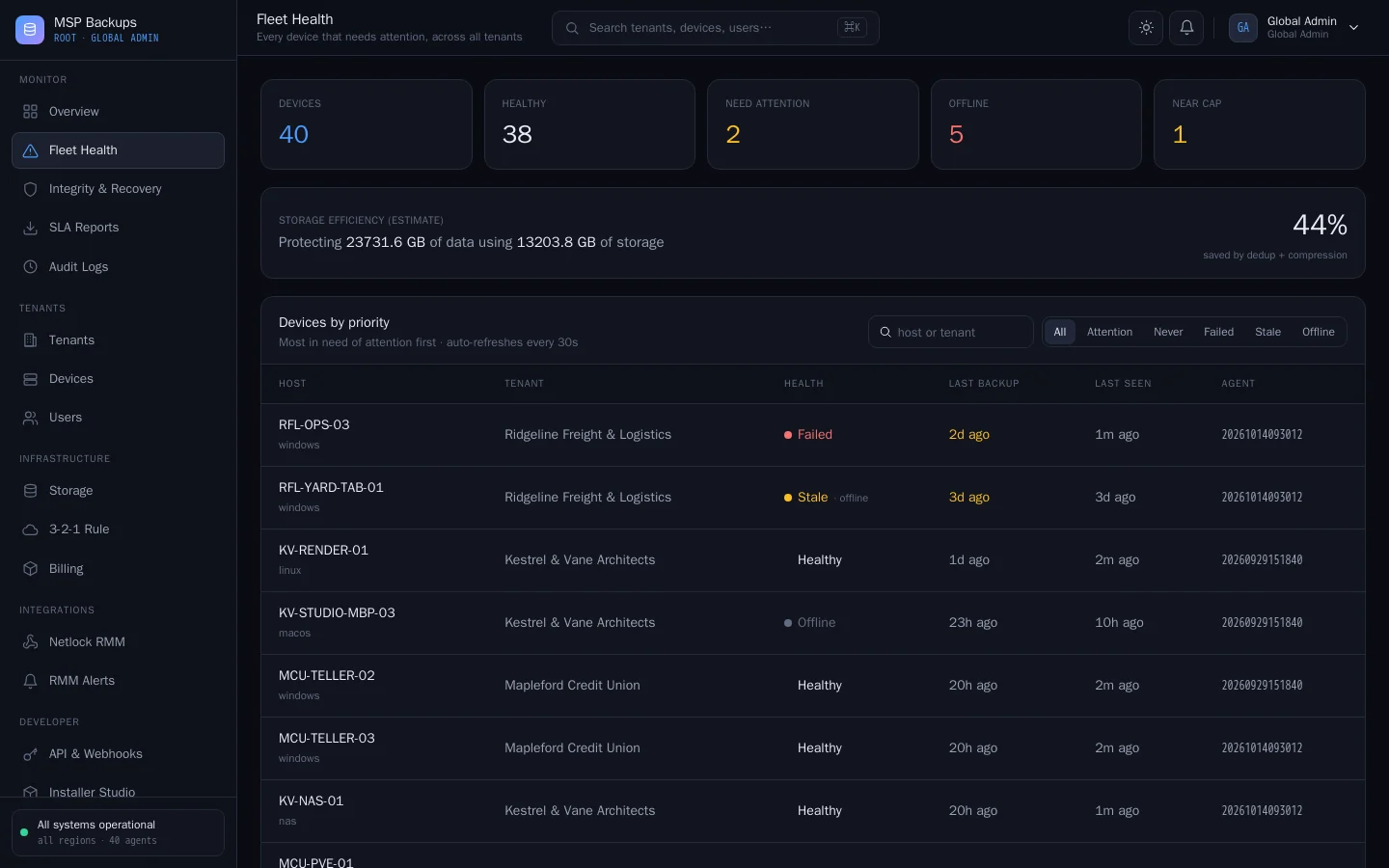
Fleet health Devices ranked by urgency: failed, stale and offline first, with dedup savings across the fleet. -
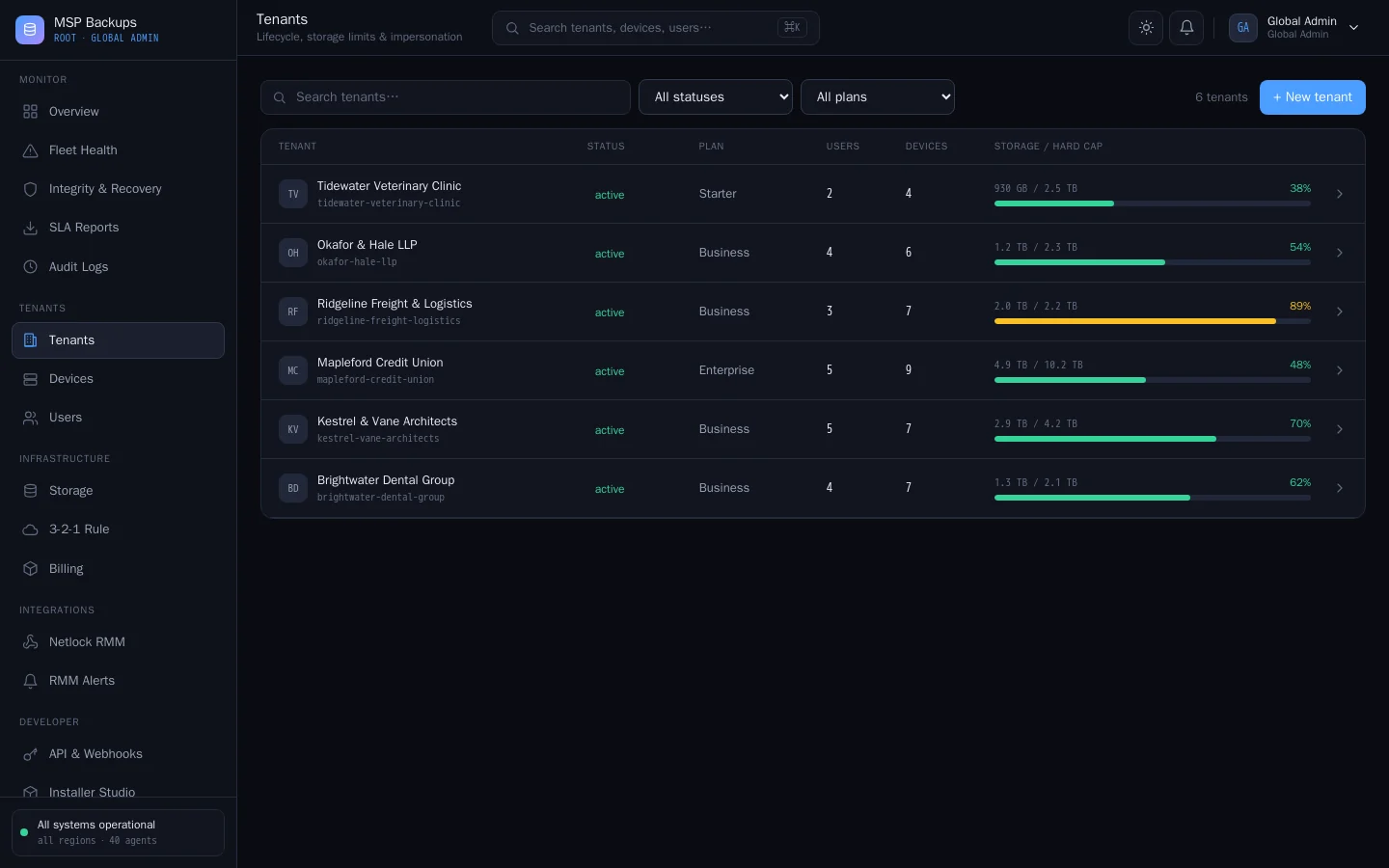
Tenants All client tenants with plan, users, devices and storage against their hard cap. -
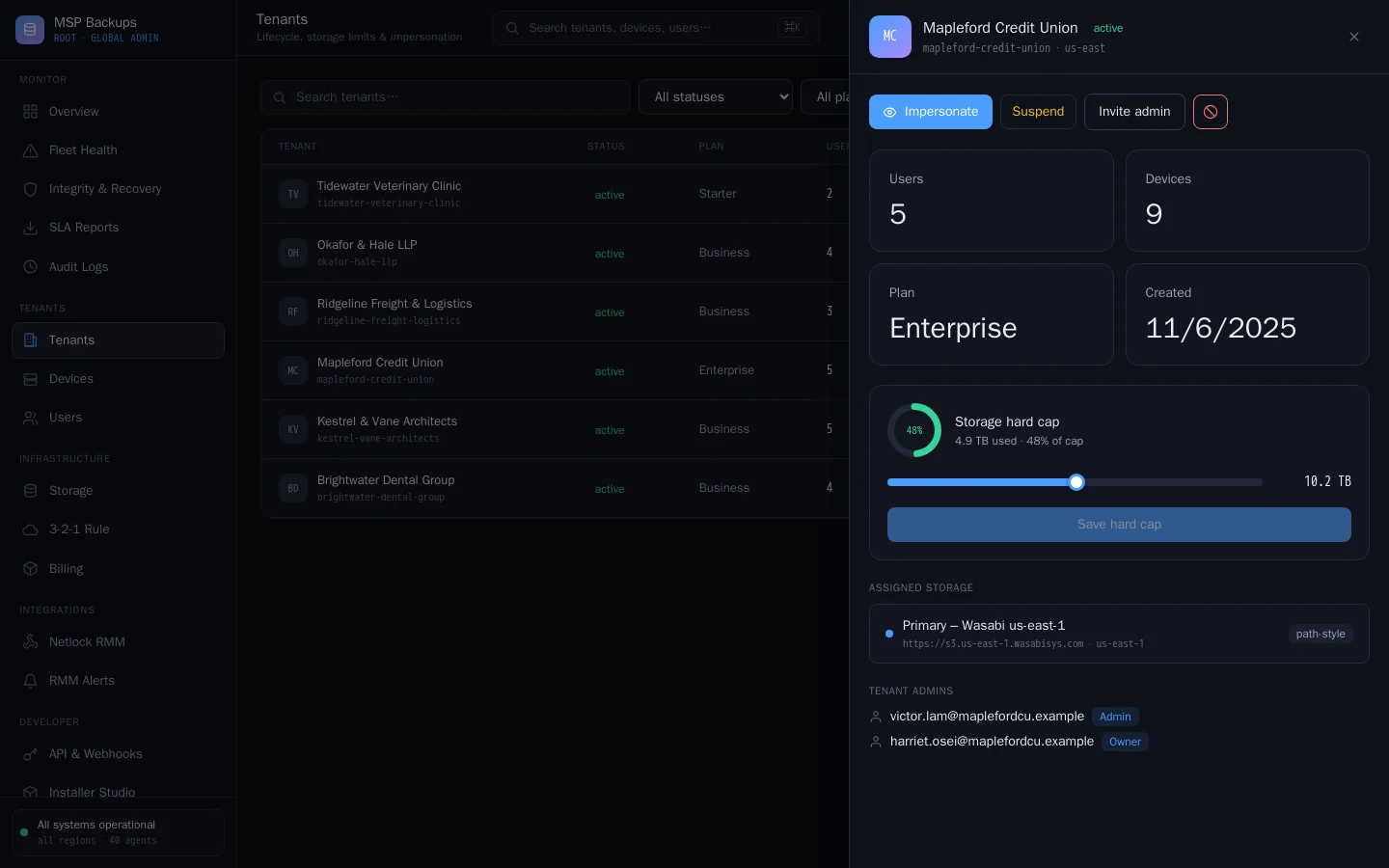
Tenant detail Per-tenant controls: impersonate, suspend, set the storage cap and see the assigned vault. -
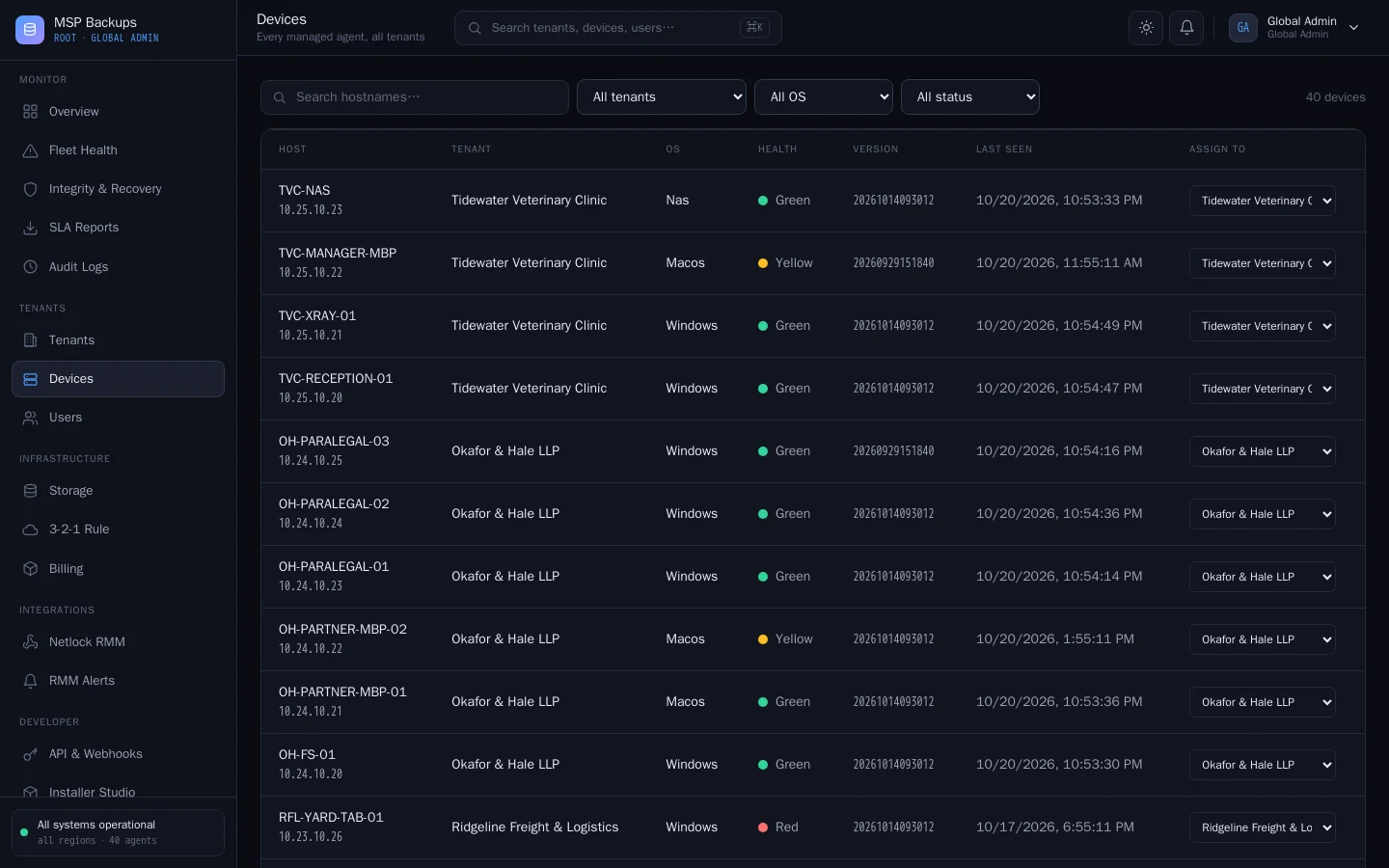
Devices Every managed agent across all tenants, filterable by tenant, OS and health. -
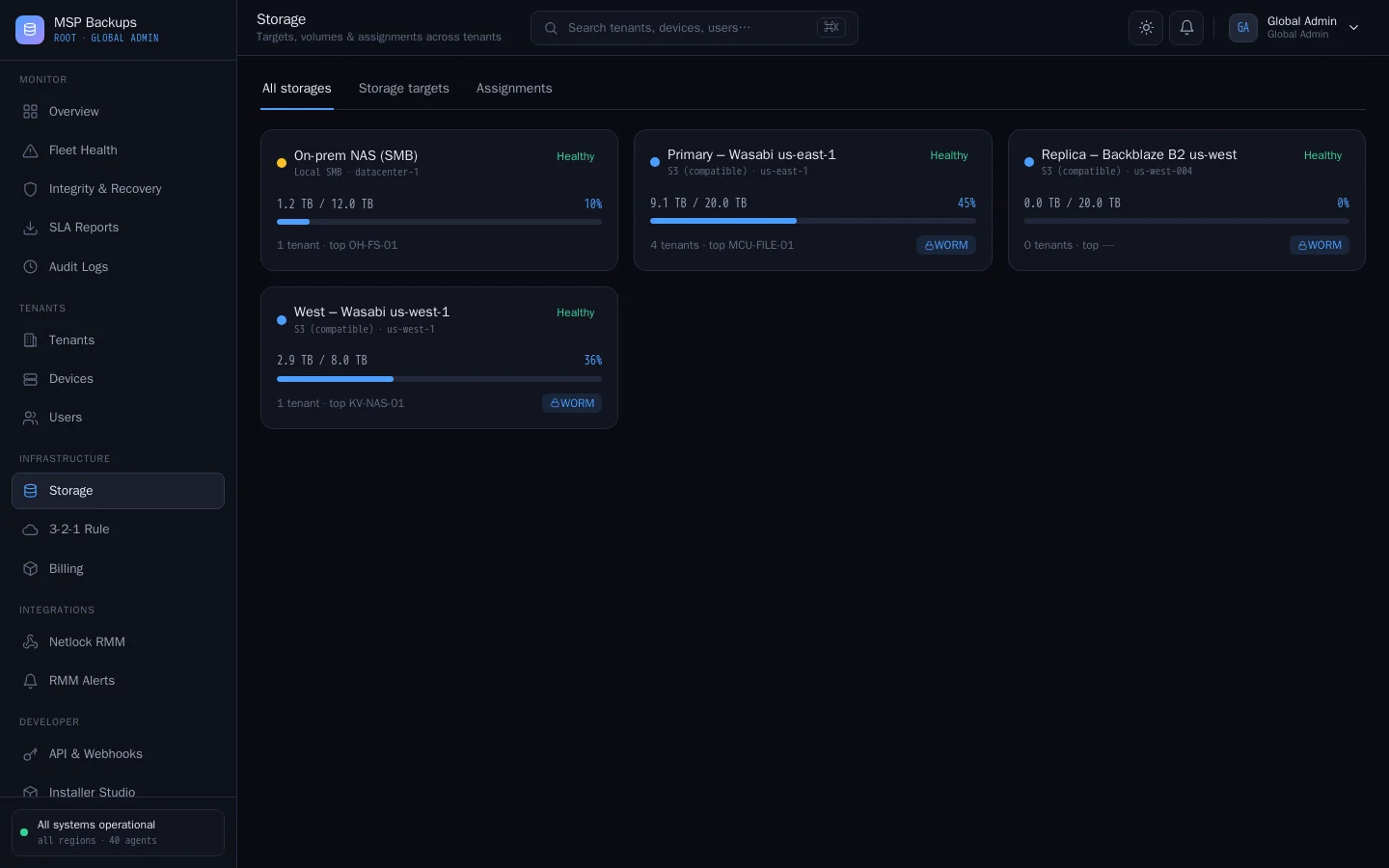
Storage targets S3, SMB and NFS targets with usage, WORM immutability and replication. -
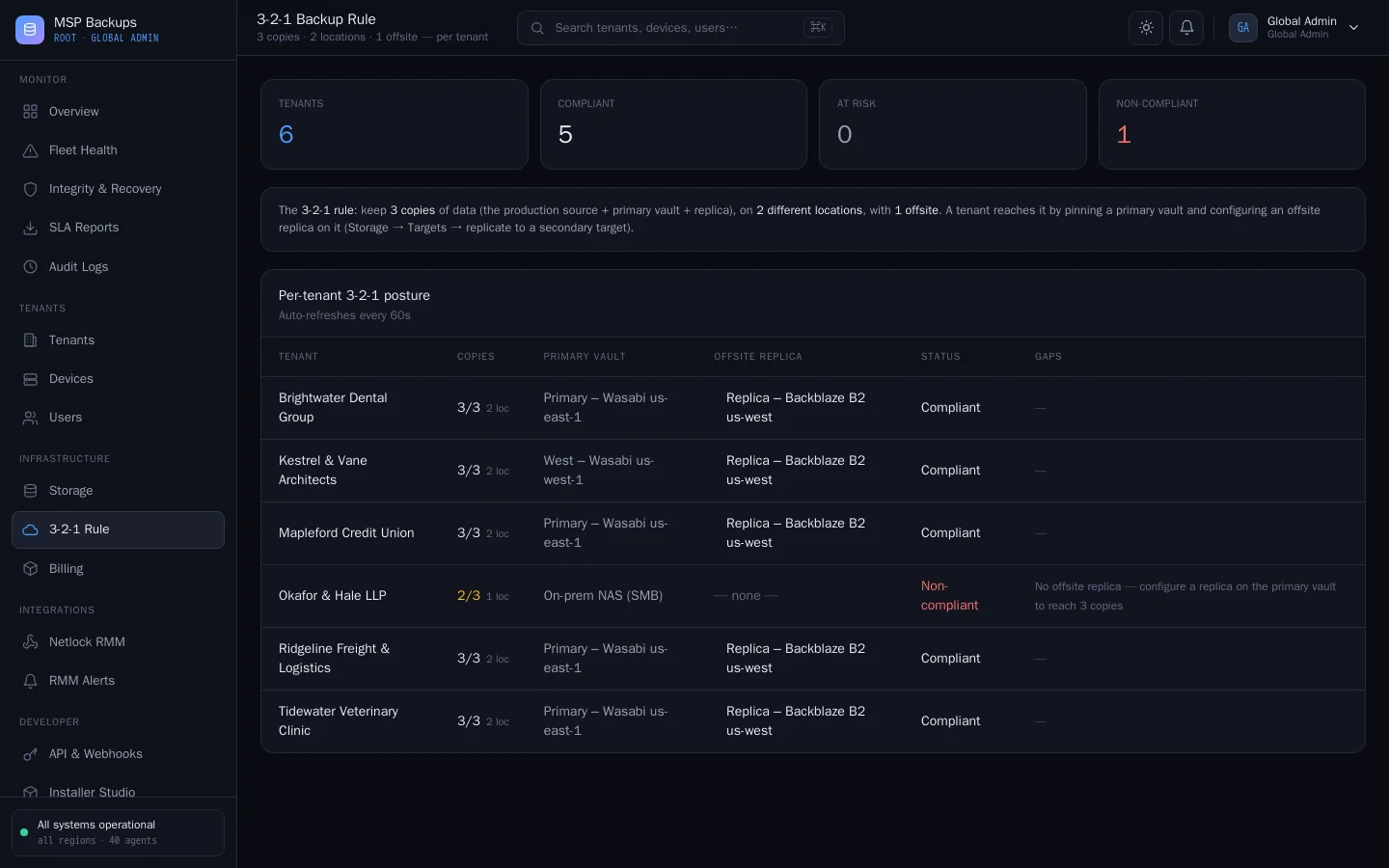
3-2-1 compliance Per-tenant check of the 3-2-1 rule, with the exact gap to fix when a tenant falls short. -
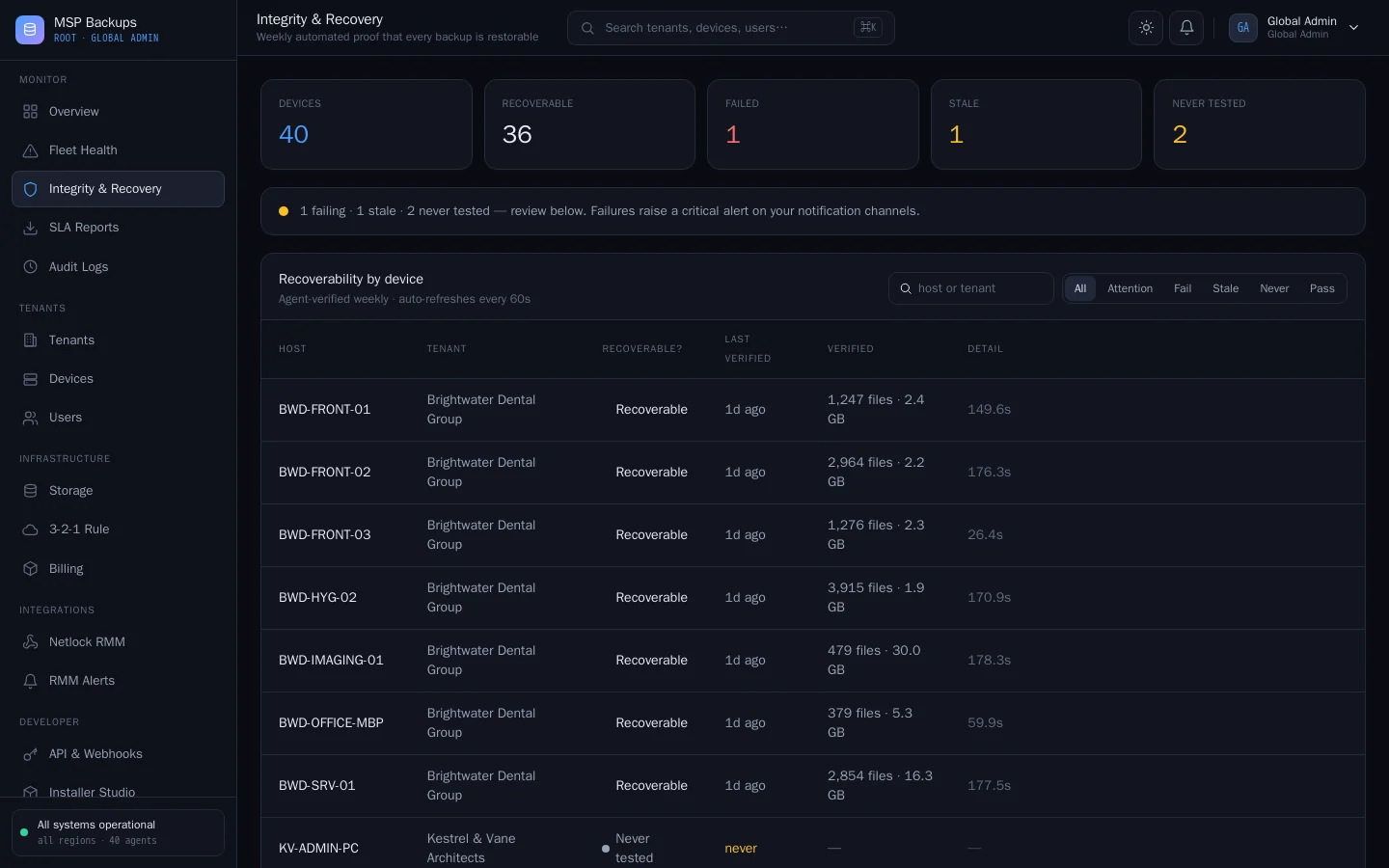
Integrity & recovery Weekly recovery checks decrypt and verify every chunk of each device's latest backup. -
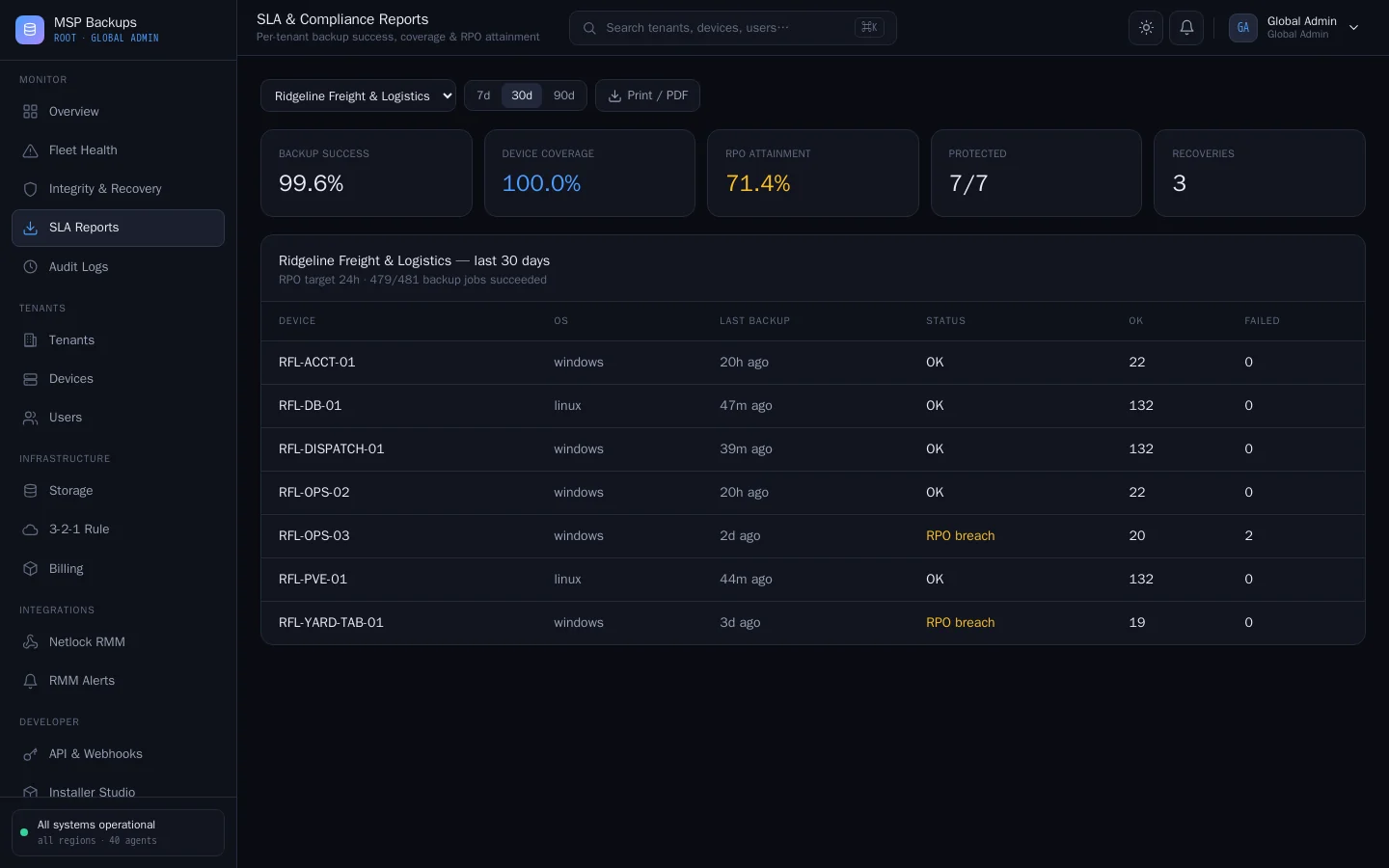
SLA reports Backup success, coverage and RPO attainment per client, ready to print or share. -
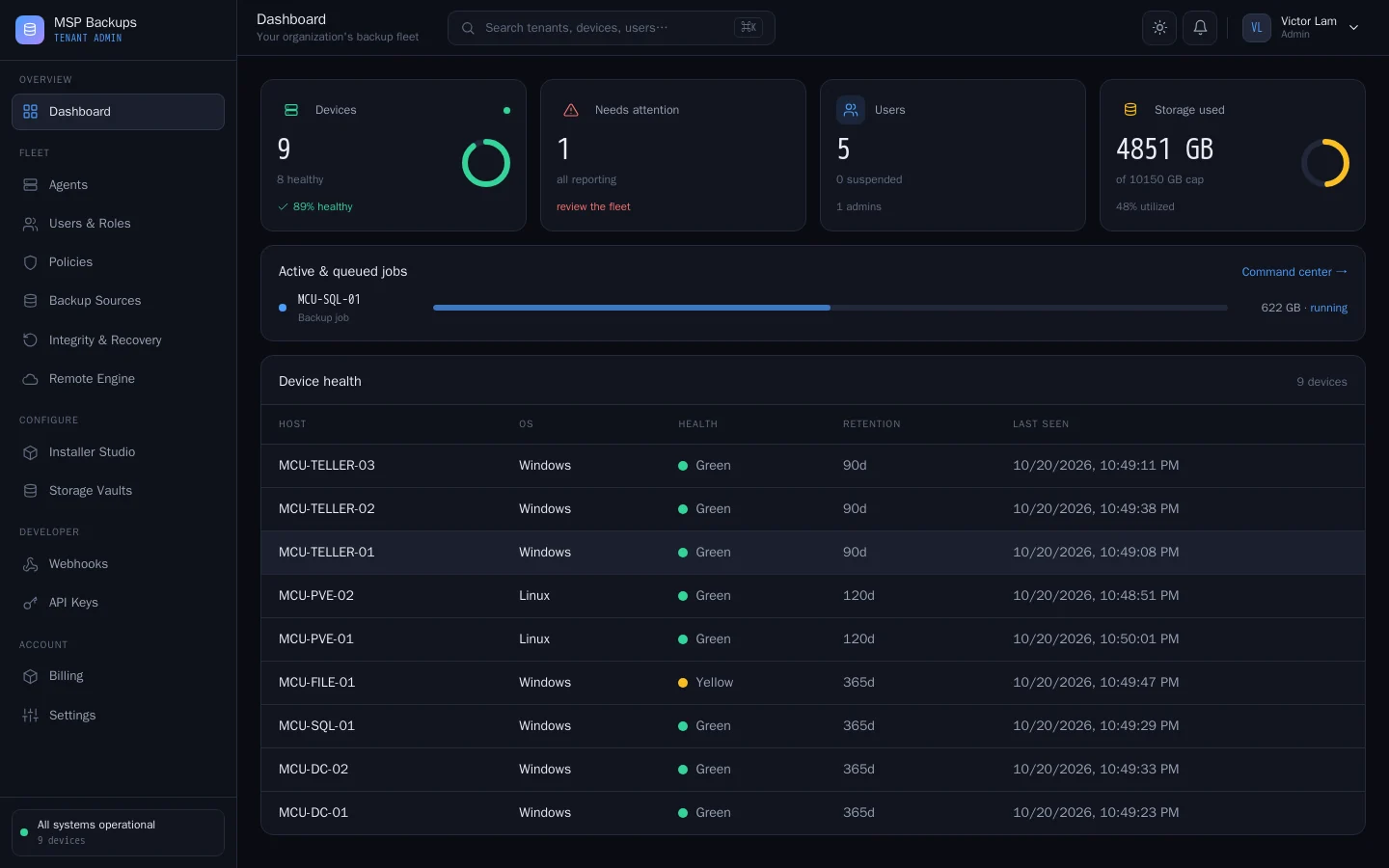
Tenant dashboard A client admin's view: device health, live jobs and storage against quota. -
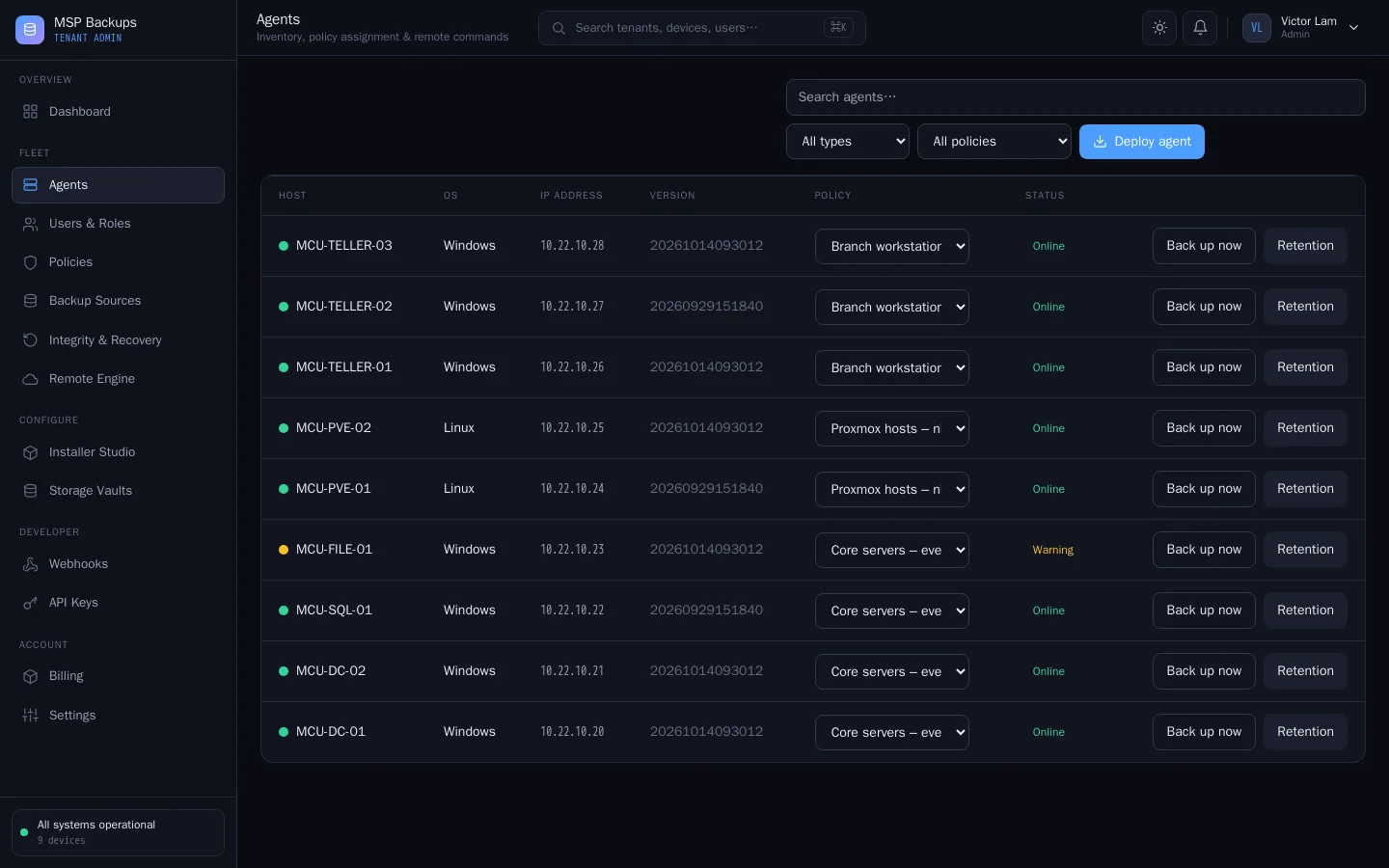
Agents Agents with IP, version and enforced policy, plus one-click backup and retention controls. -
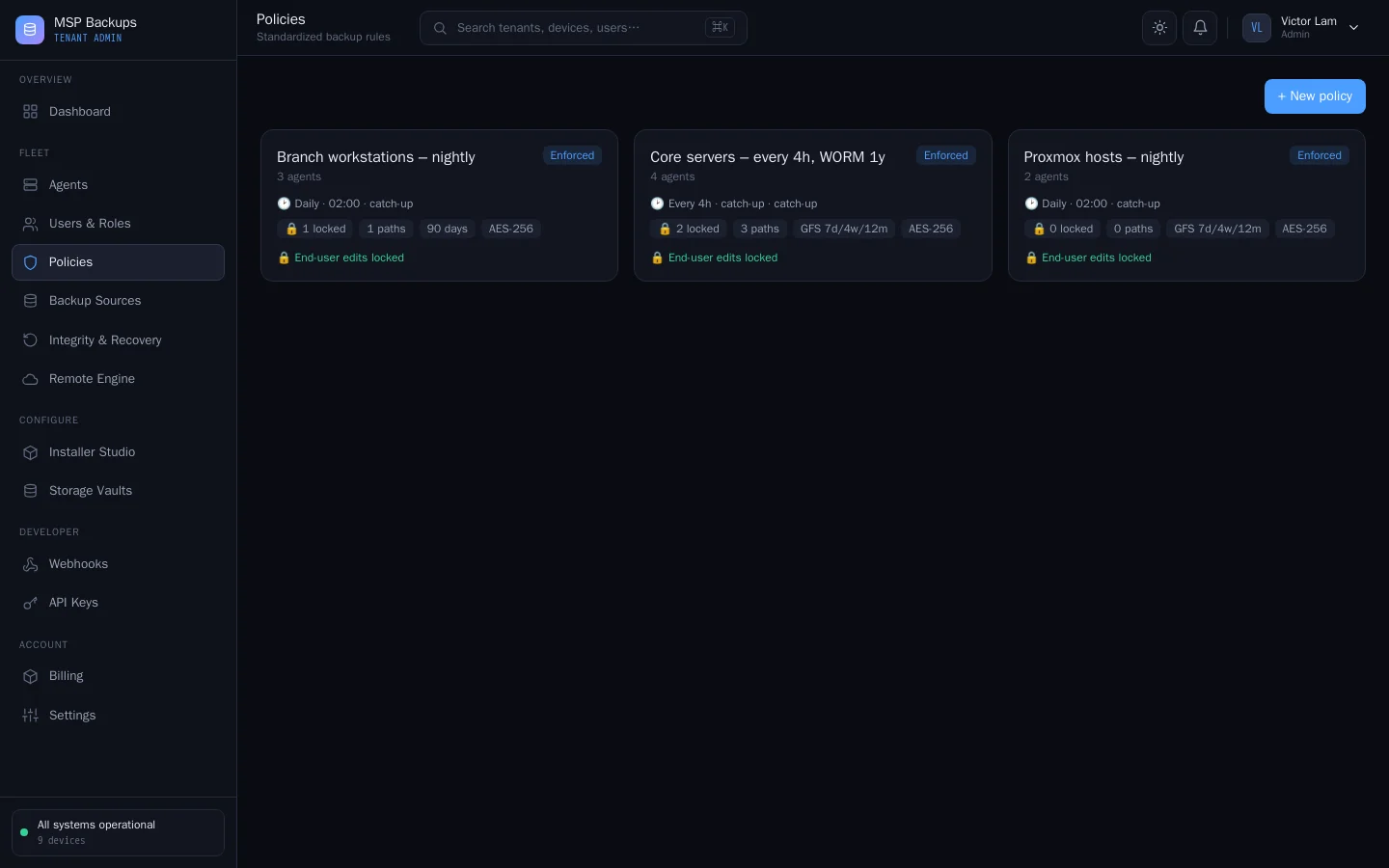
Backup policies Centrally assigned schedules and folders that override the user's own settings. -
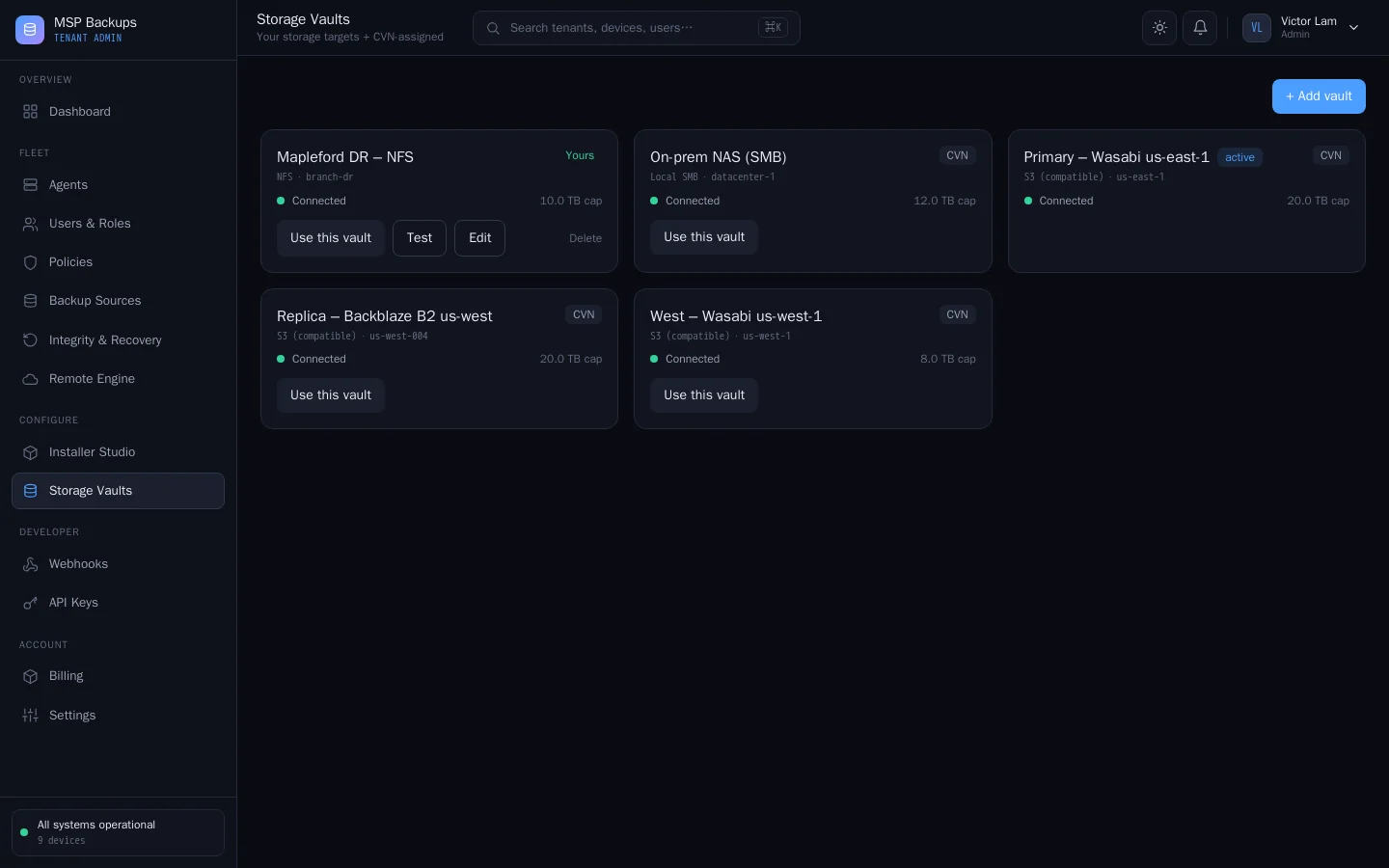
Storage vaults Tenants can bring their own vault or use the MSP's, and switch the active one. -
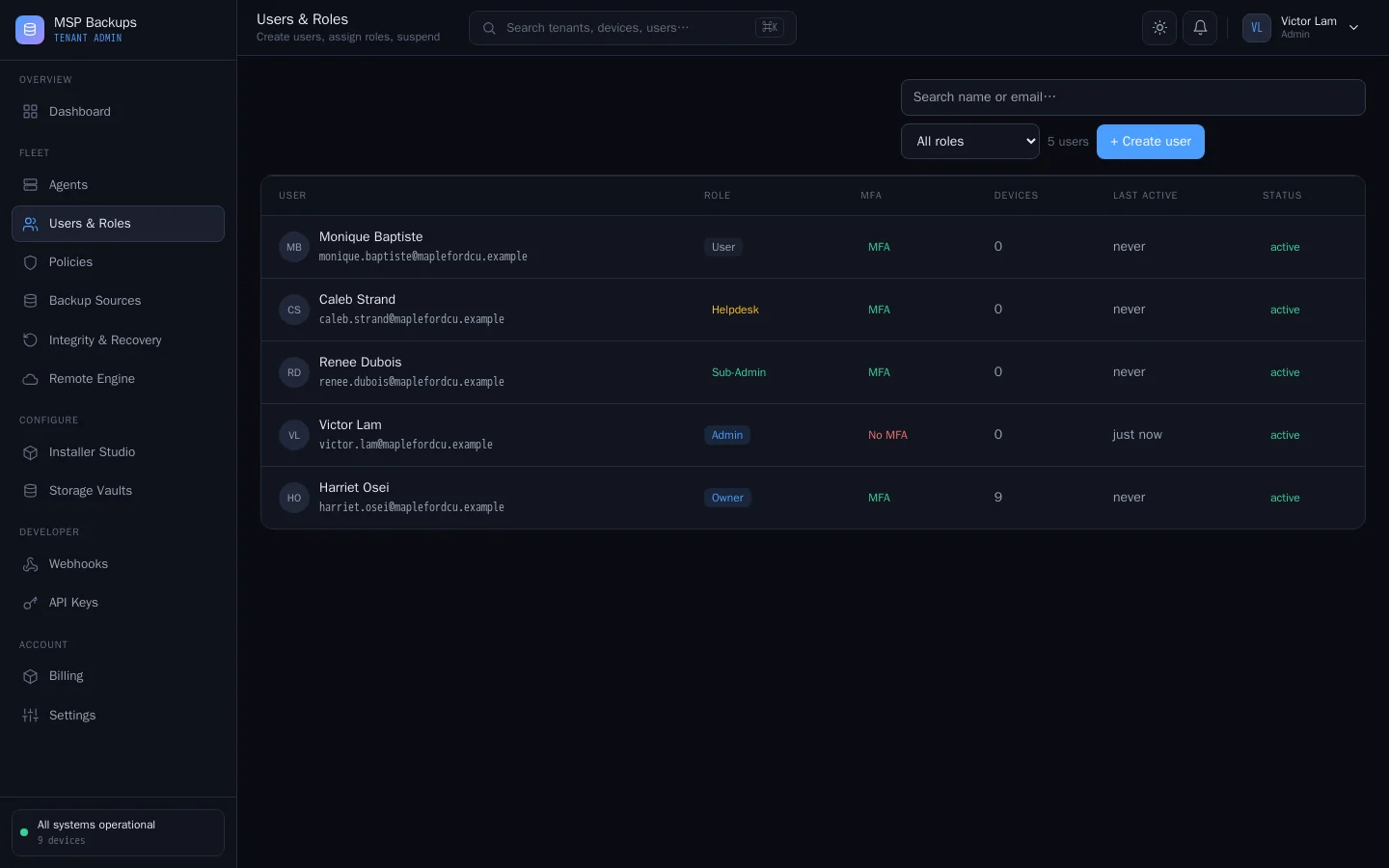
Users & roles Owner, Admin, Sub-Admin, Helpdesk and User roles with MFA status at a glance. -
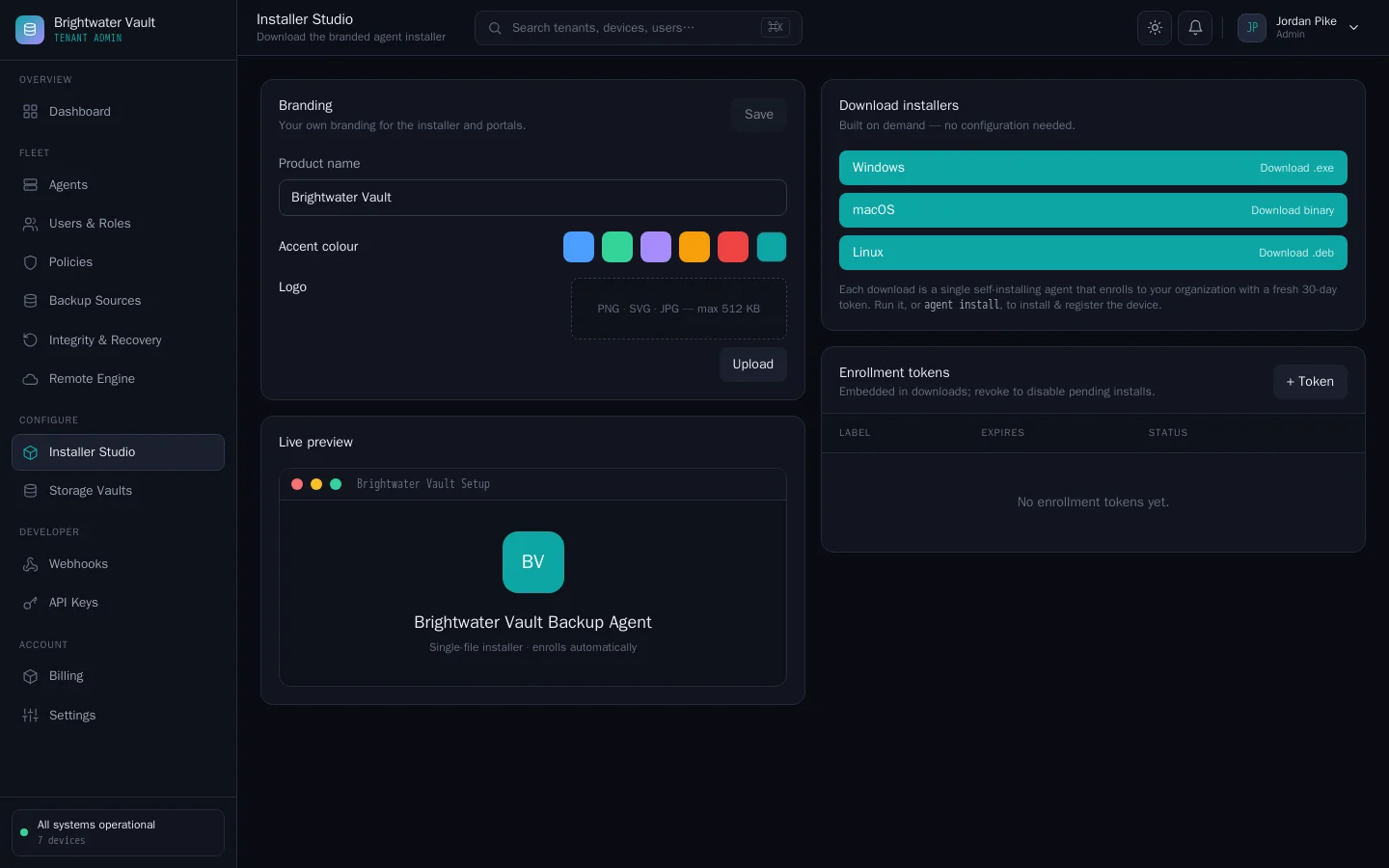
White-label branding Each client gets its own product name, colour and branded agent installer. -
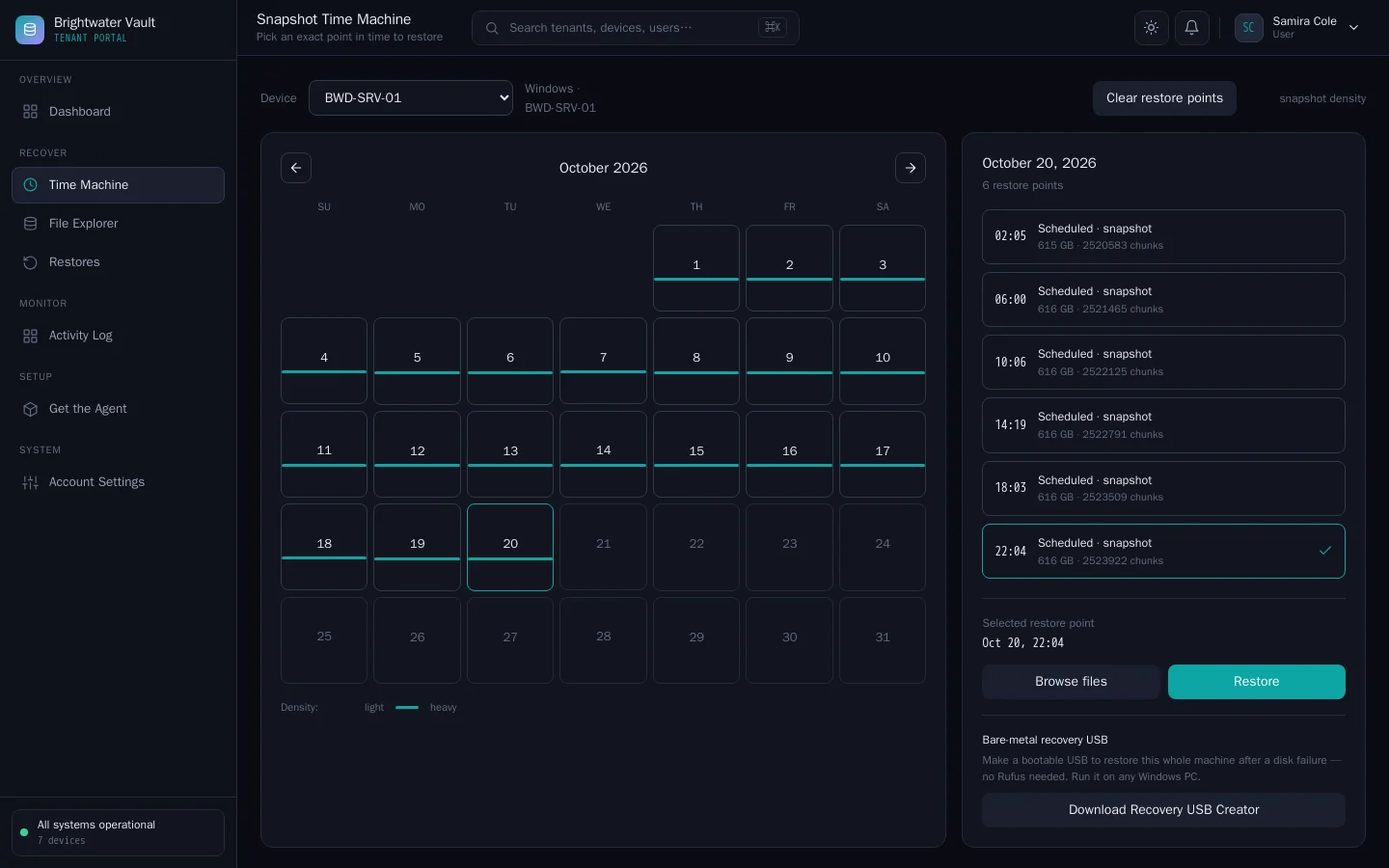
Time Machine Pick any restore point from a calendar; servers here back up every four hours. -
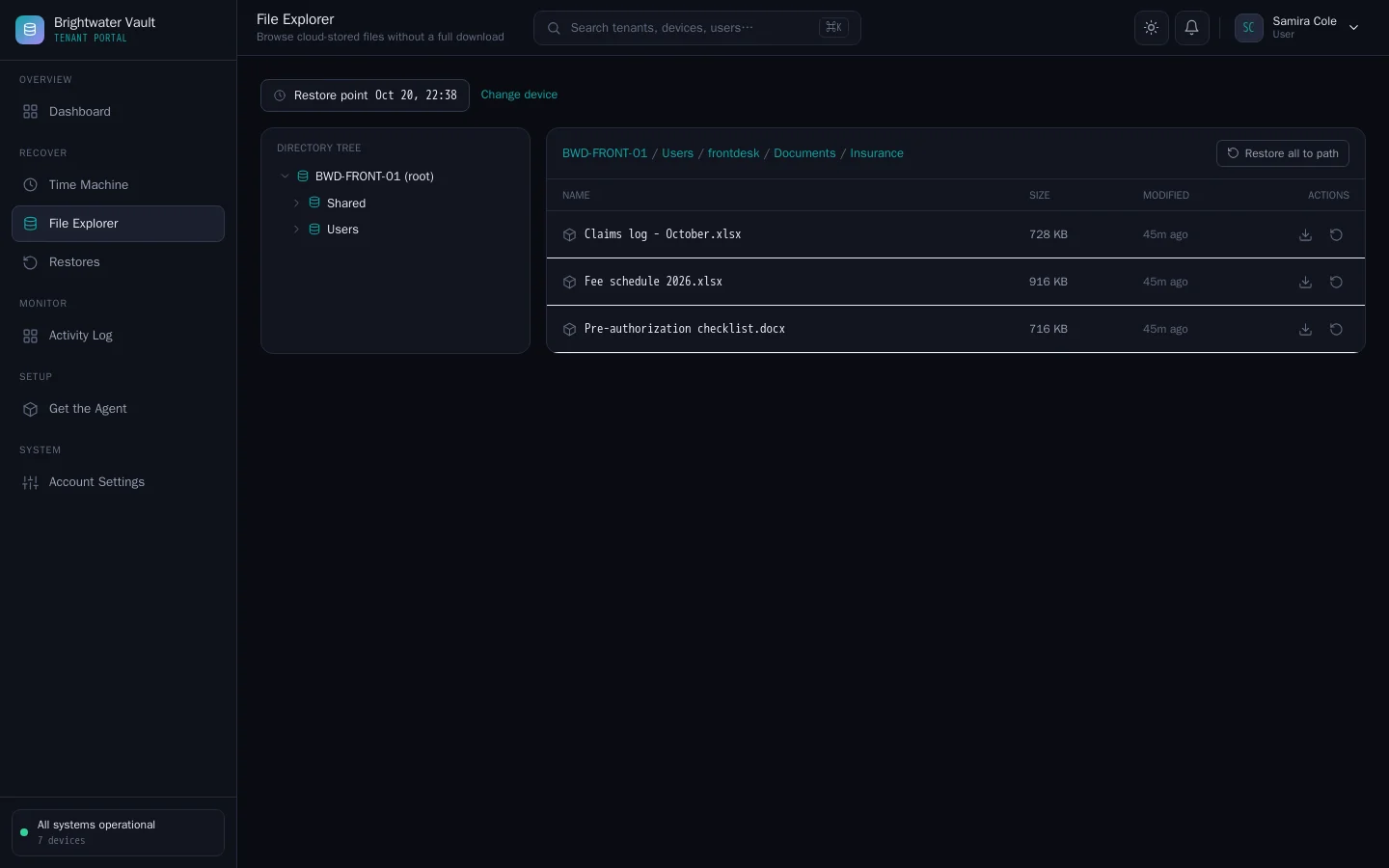
File explorer & restore Browse a backup and restore single files; decryption happens in the browser, never on the server (S3 storage).
Also from CVN Technologies
More CVN software
Every CVN product is self-hosted, paid for once and carries your brand.
-
CVN PSA
Works with CVN PSA
CVN PSA is our self-hosted PSA for small MSPs. Connect it to MSP Backups and each device shows its latest backup result in the PSA. Failed or stale backups open tickets.
Visit CVN PSA -
CVN ERP
Not on sale yetRepair tickets, point of sale, inventory, accounting and payroll for computer repair shops.
Visit CVN ERP
Pricing
Launching soon
one price · yours forever · 1 year of updates and support included · renew for more
- Every feature, with no per-device or per-tenant fees
- One production domain plus one staging domain
- 1 year of updates and support included
- Keeps working if you do not renew
FAQ
Questions MSPs ask first
What does one licence cover?
One production domain plus one staging domain, with every feature included. There are no per-device, per-tenant or per-terabyte fees. Local and test hosts such as localhost and *.test do not count.
What happens when the year of updates ends?
Your server and agents keep working on the version you have. Nothing switches off. Renew when you want another year of updates and support.
What do I need to run it?
A server running Ubuntu 22.04 or later, or Debian 12 or later, a domain name, and storage: an S3-compatible bucket with Object Lock, an SMB share or an NFS export. The one-script installer ships with version 1.0.
Where are backups stored?
On storage you choose. Agents write encrypted chunks straight to it. Your backups never pass through our servers.
Can I lose access to my backups if I lose a passphrase?
Yes. Each device's key is derived from its backup passphrase, and the passphrase is never sent to your server, so neither your server nor we can recover it. Store every passphrase in your password manager before you deploy agents.
Can I put my own brand on it?
Yes. The platform name and colour are yours, and each tenant can have its own product name, colour, logo and branded agent installer. A new install calls itself "MSP Backups" until you rename it.