FEATURES
Everything in MSP Backups
Everything below ships in the one licence. There are no per-device, per-tenant or per-terabyte fees.
Zero-knowledge encryption
-
Keys made on the device
Argon2id turns the backup passphrase into a 256-bit key on the device. Separate subkeys encrypt the data and name the chunks.
-
AES-256-GCM per chunk
Every chunk and every manifest is encrypted and authenticated. A changed byte fails the check on restore.
-
No file names on the server
The server records snapshot sizes and object keys. The names and contents of backed-up files live only inside the encrypted manifest and chunks. Policy folder paths, job errors and alert text are visible to the server.
-
Decrypt in the browser
File restores from S3 storage are decrypted in the browser. The passphrase you type stays on that page.
Incremental backups and dedup
-
Content-defined chunking
FastCDC splits files at content boundaries, so an edit in the middle of a file changes only the chunks around it.
-
Deduplication
A chunk already in storage is not uploaded again. Chunk IDs are keyed hashes, so other tenants cannot match your data.
-
Unchanged files skipped
Each run reuses unchanged files from the previous snapshot. A full re-read runs once a month and still uploads only new chunks.
-
Zstandard compression
Chunks are compressed before encryption. The fleet view shows how much dedup and compression saved.
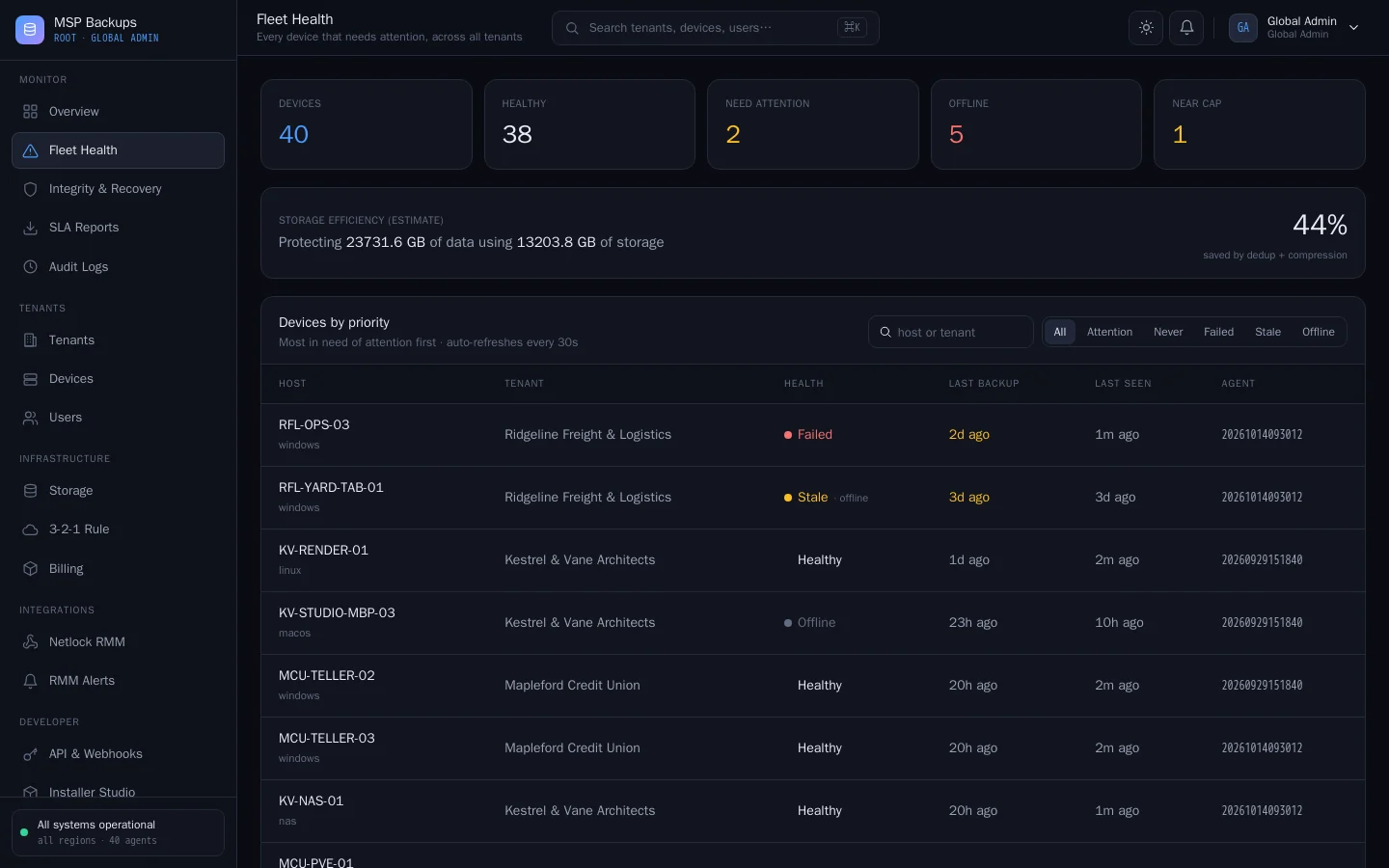
Immutability and ransomware defence
-
S3 Object Lock
Chunks and manifests are written in compliance mode. Nobody, including someone holding the bucket keys, can delete or overwrite them before the lock ends.
-
Locks follow retention
The lock lasts at least as long as the device keeps restore points. A reused chunk has its lock extended, so it never lapses under a live snapshot.
-
Canary files
The agent plants a canary file in each backup folder. If one has been altered, the backup stops and the server raises a security alert.
-
Change-rate alerts
A backup that rewrote far more of a device than usual is flagged as a possible ransomware event.
Agents for every platform
-
Windows, macOS (Intel) and Linux
A Windows setup program, a Linux .deb and a macOS (Intel) binary, each carrying the tenant's enrolment token. The agent runs as a service and enrols itself.
-
Desktop app and CLI
Windows users get a desktop app to choose folders, run a backup and restore files. Every platform has the same CLI.
-
Proxmox VMs and containers
On a Proxmox host the agent backs up VMs and containers with vzdump and restores them to any compatible Proxmox host.
-
Database dumps
MySQL and MariaDB, PostgreSQL and SQL Server are dumped with their own tools, captured in the encrypted backup, then the dump is deleted from disk.
-
Signed self-updates
From version 1.0, agents fetch new builds through your server and install them only after checking our release signature.
Multi-tenant by design
-
One tenant per client
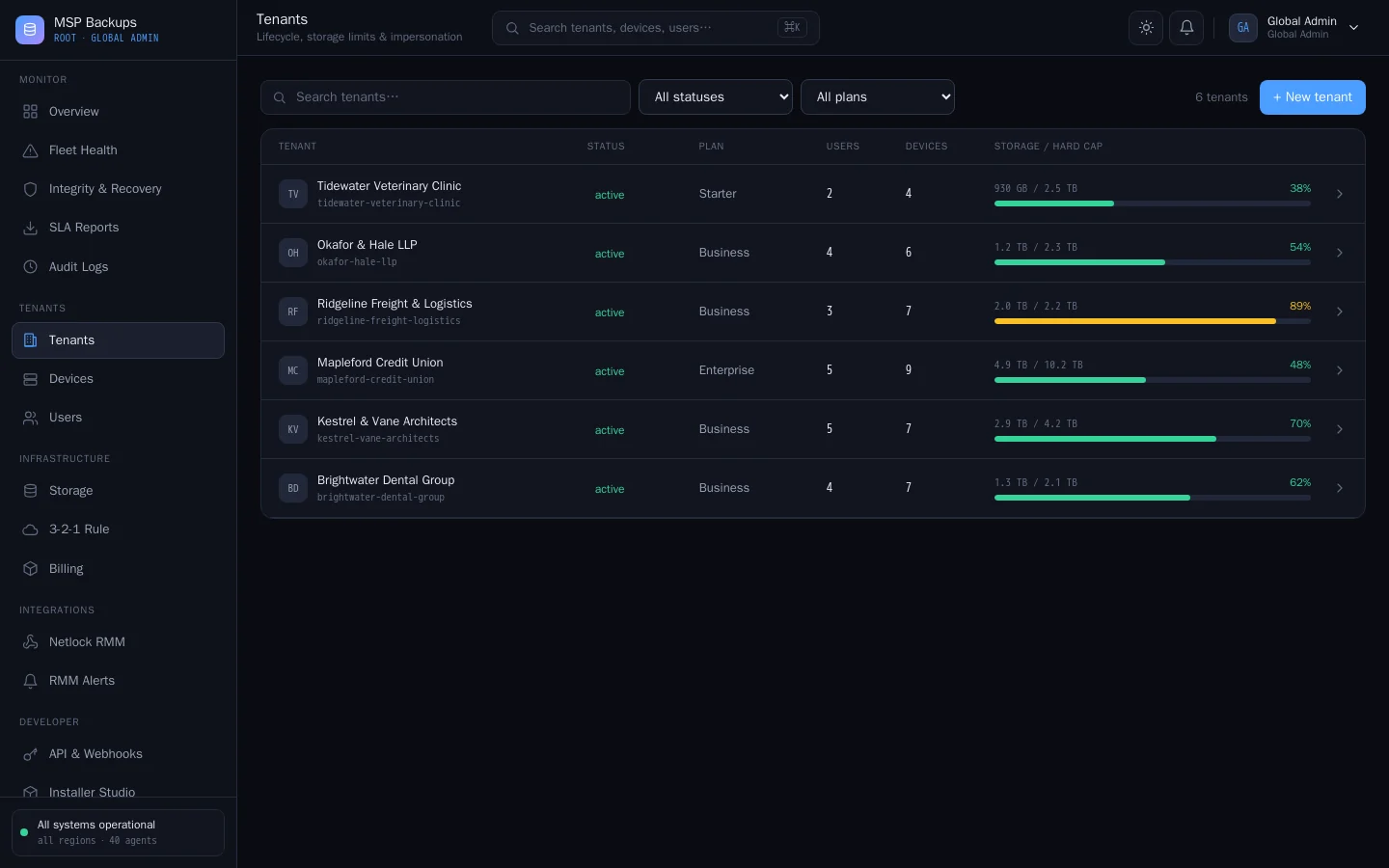
Each tenant has its own users, devices, storage cap and settings. Tenants can be suspended, exported or erased.
-
Isolation in the database
Every table carries a tenant ID and Postgres row-level security filters every query, so a bug in one request cannot read another tenant.
-
Three portals
A global portal for your team, an admin portal for each client and a user portal where staff restore their own files.
-
Branding per tenant
Each tenant can carry its own product name, accent colour and logo, used in its portal, desktop app and agent installers.
-
SLA reports
Backup success, coverage and RPO per client, ready to print or share.
Storage targets and replication
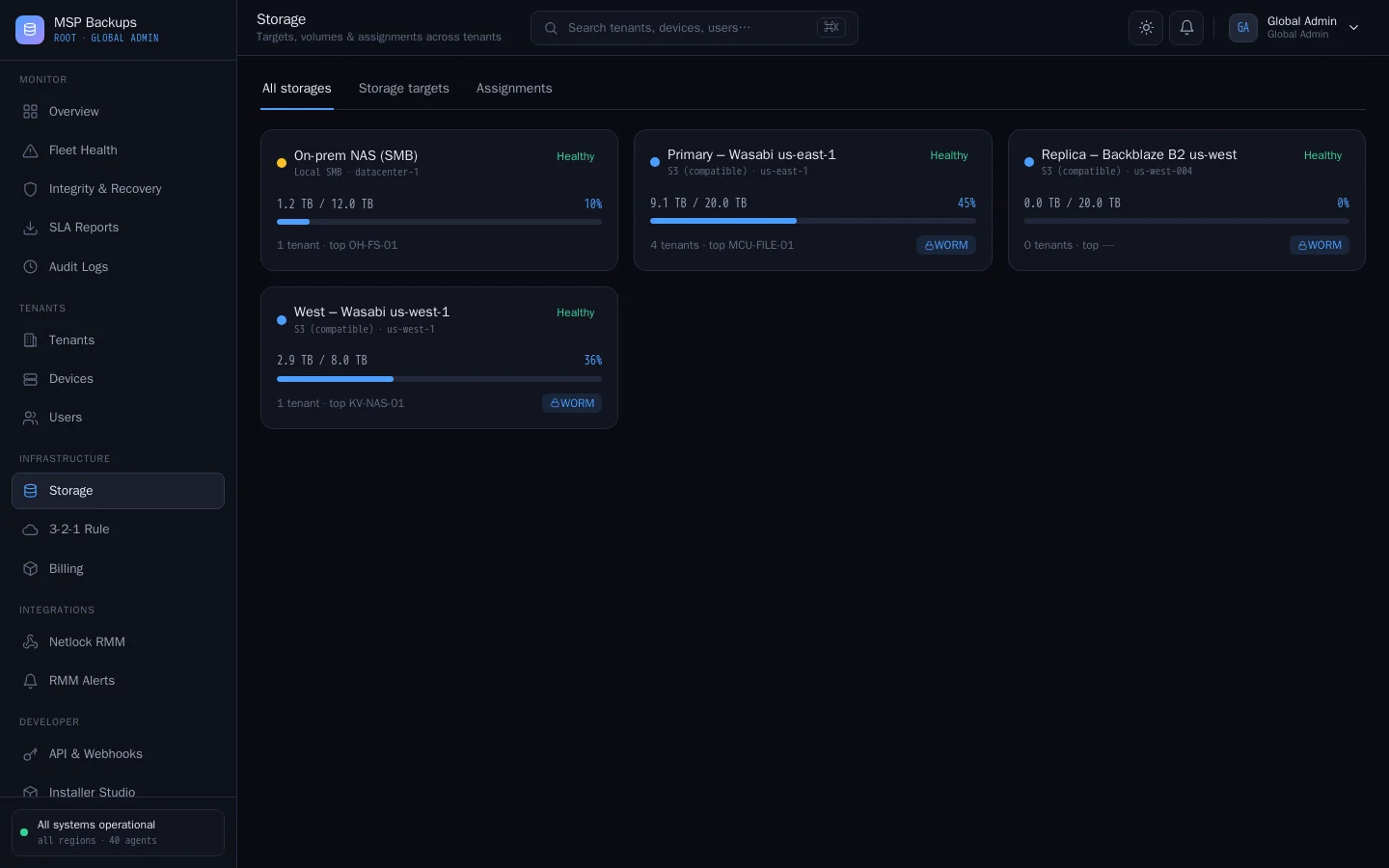
-
S3, SMB and NFS
Any S3-compatible service such as AWS, Wasabi, Backblaze B2 or MinIO, plus SMB and NFS shares. Health is checked every five minutes.
-
Replication
Pair an S3 target with a second one. The server copies new objects across every ten minutes, or when you press Replicate now.
-
3-2-1 check
Each tenant is marked compliant, at risk or non-compliant against the 3-2-1 rule, with the missing piece named.
-
Bring your own storage
A tenant can add its own storage and choose which target is active, or use the targets you provide.
-
Hard storage caps
A tenant at its cap cannot add backups. A warning and a quota.warning webhook fire at 85% by default.
Policies and scheduling
-
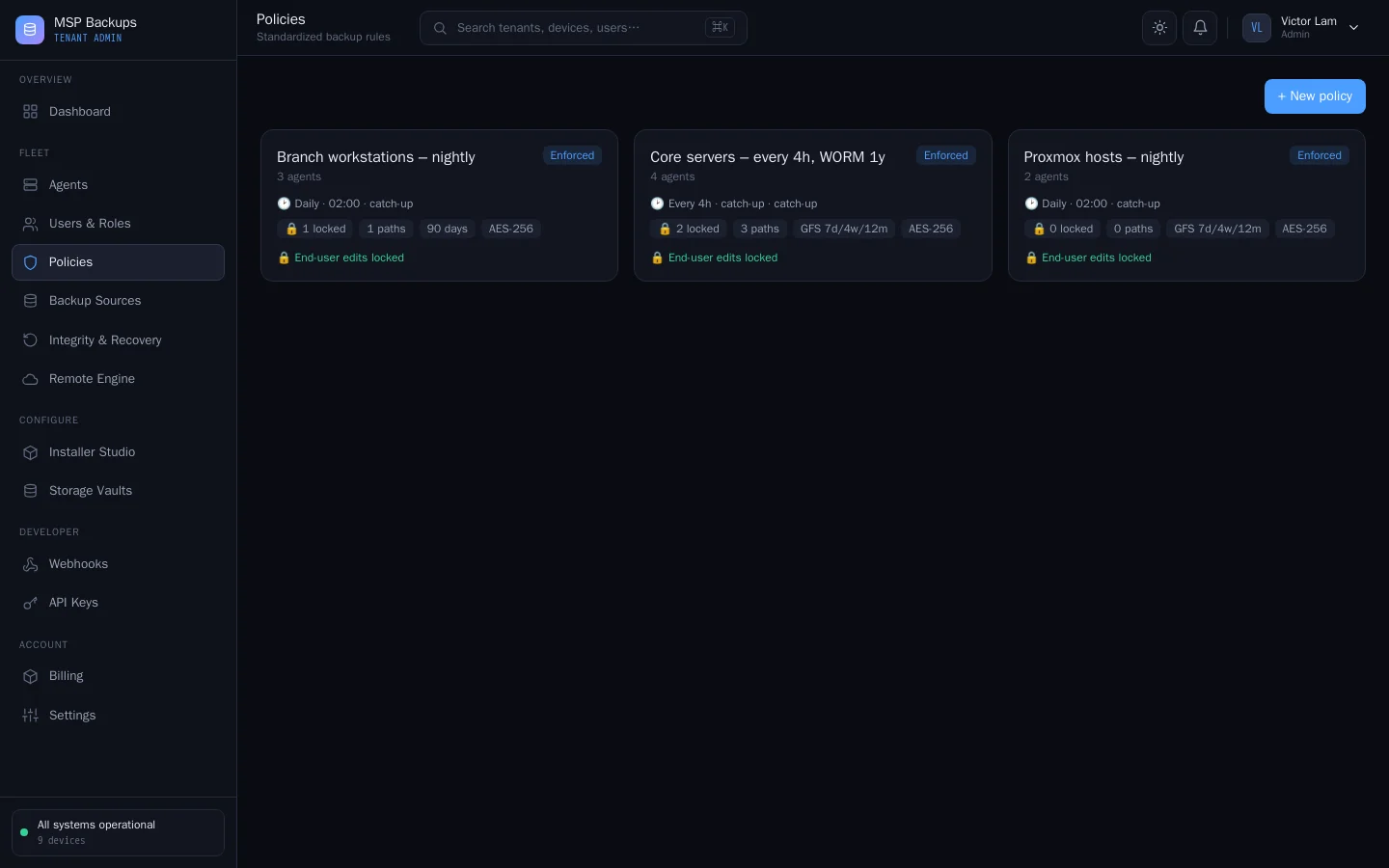
Central policies
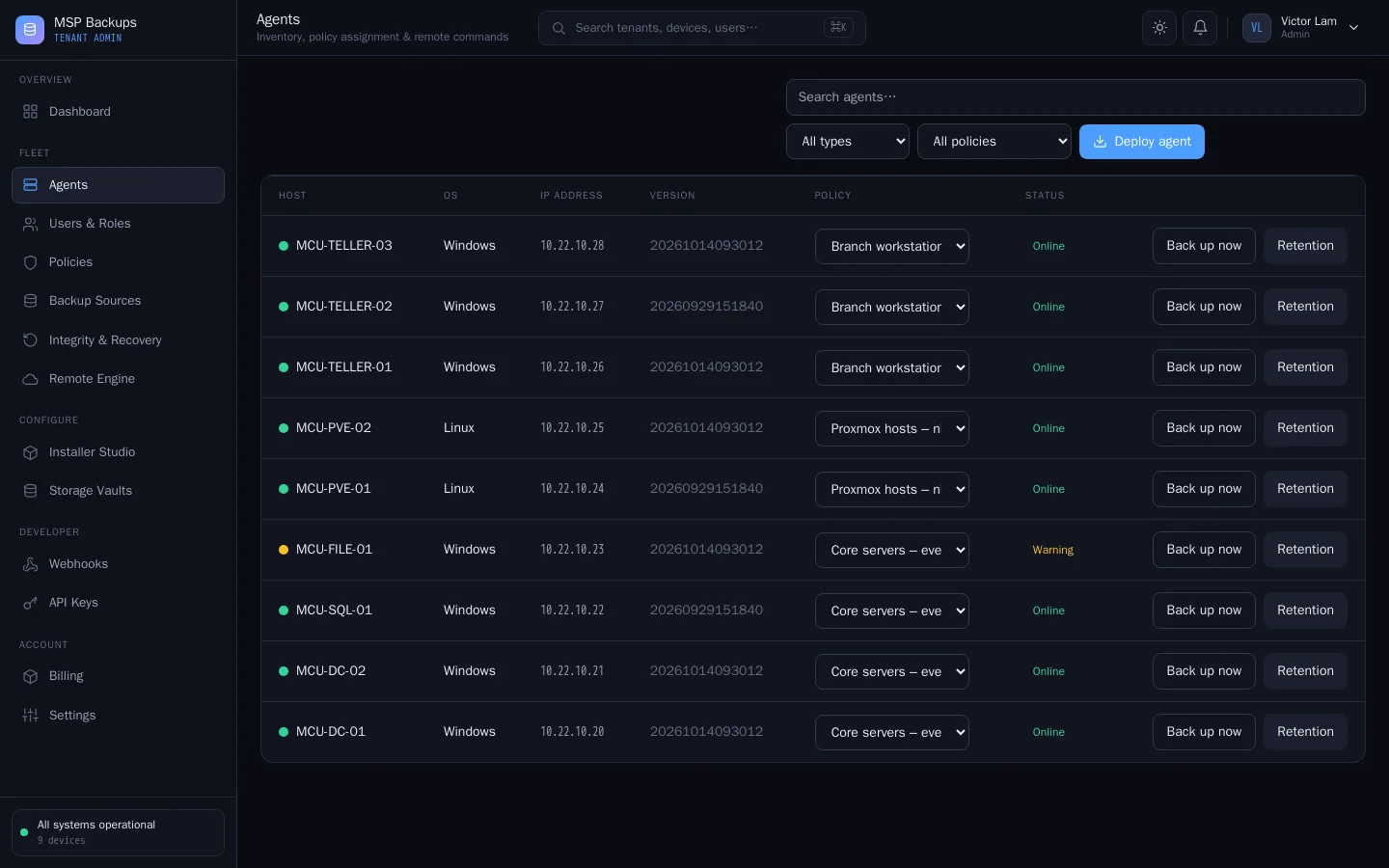
Schedule and the folders to protect, assigned to devices from the server. The agent applies them on its next run.
-
Locked settings
An enforced policy overrides the folders and schedule the user picked in the desktop app.
-
Schedules with catch-up
Hourly, every four hours, daily or weekly. A device that was off when a backup was due runs it when it comes back.
-
Remote commands
Start a backup, prune old restore points or update the agent on any online device from the portal.
Restore and disaster recovery
-
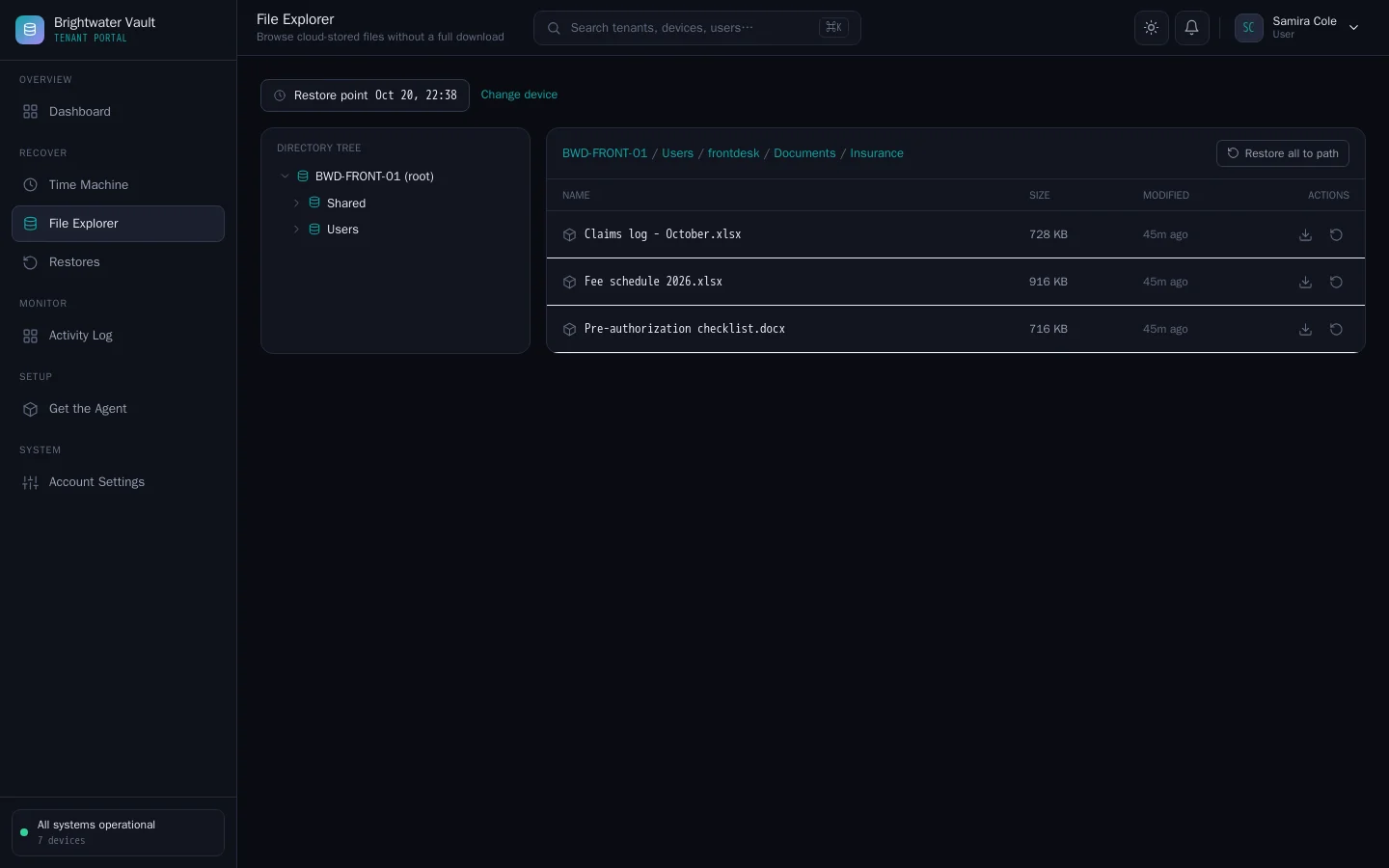
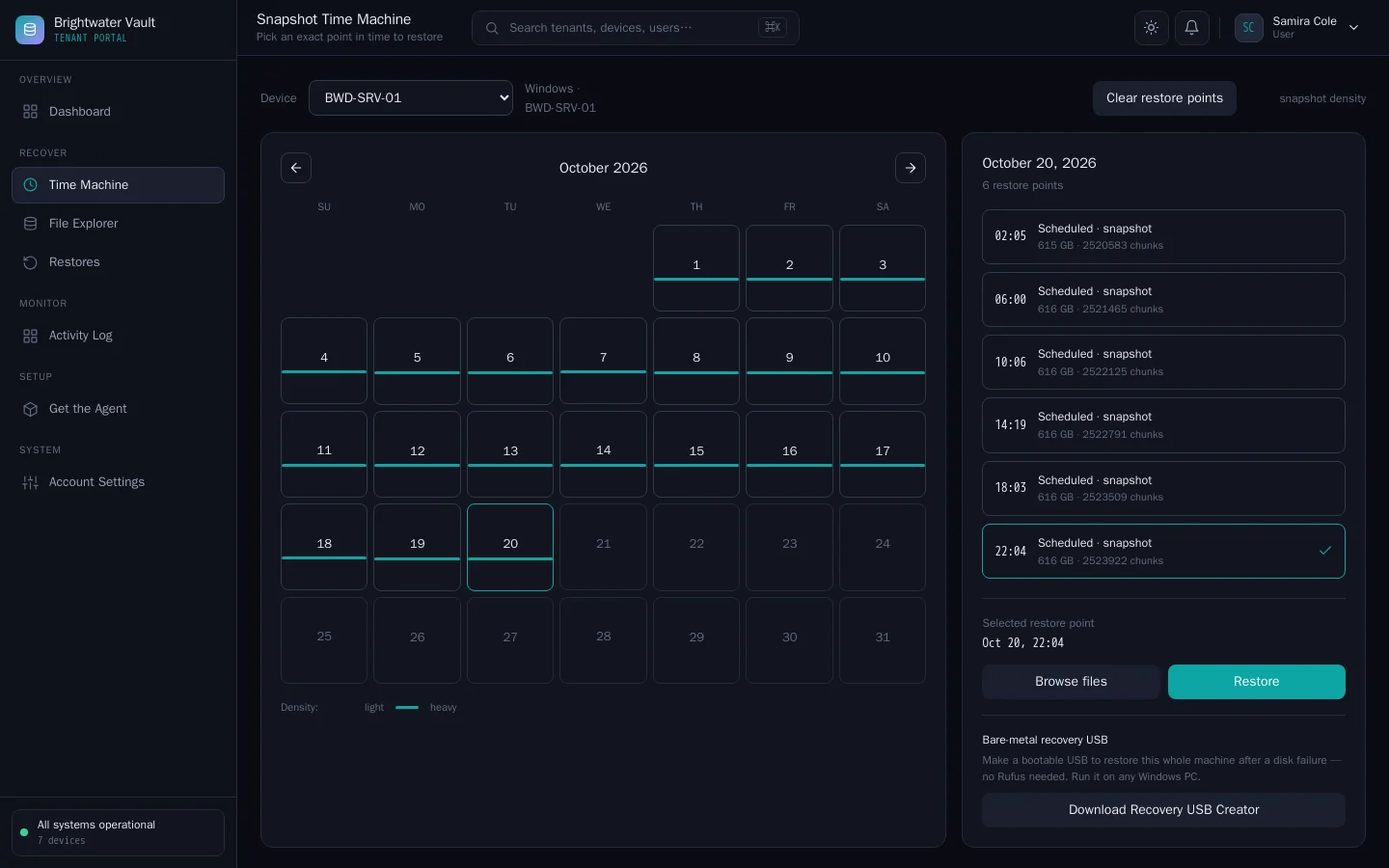
Time Machine and file explorer
Pick a restore point from a calendar, browse its folders and download a file or a folder as a .zip.
-
Restore in place
Send a file, a folder or a whole snapshot back to its original location. The agent decrypts with its own key.
-
Bare-metal recovery
Disk-image backups for Windows and Linux, restored from a recovery USB that a Windows tool writes for you.
-
Weekly recovery checks
Every agent re-reads and decrypts its latest backup each week. A failure alerts your team and shows on the Integrity & Recovery page.
Billing hooks
-
Usage invoices
Bill each tenant per seat and per GB-month at rates you set. Invoices are PDF, and tenants can be marked non-billable.
-
Square payments
Keep a card on file per tenant through your own Square account and charge an invoice from the portal. Each charge carries an idempotency key, so a retry never bills twice.
-
Signed webhooks
snapshot.created, quota.warning and security.alert events, signed with HMAC-SHA256 and retried on failure, for your own billing or ticketing.
-
Backup status API
An API key returns every device's latest backup result for one tenant or for all of them, for your own billing or reporting scripts.
Security and access
-
MFA and sessions
Authenticator-app MFA for every account, with a prompt for anyone who has not set it up. Users see and end their own sessions.
-
Single sign-on
OpenID Connect sign-in through your identity provider, matched to existing accounts by email.
-
IP allow-lists
A tenant admin can limit the tenant's portal sign-ins to listed IP addresses and ranges.
-
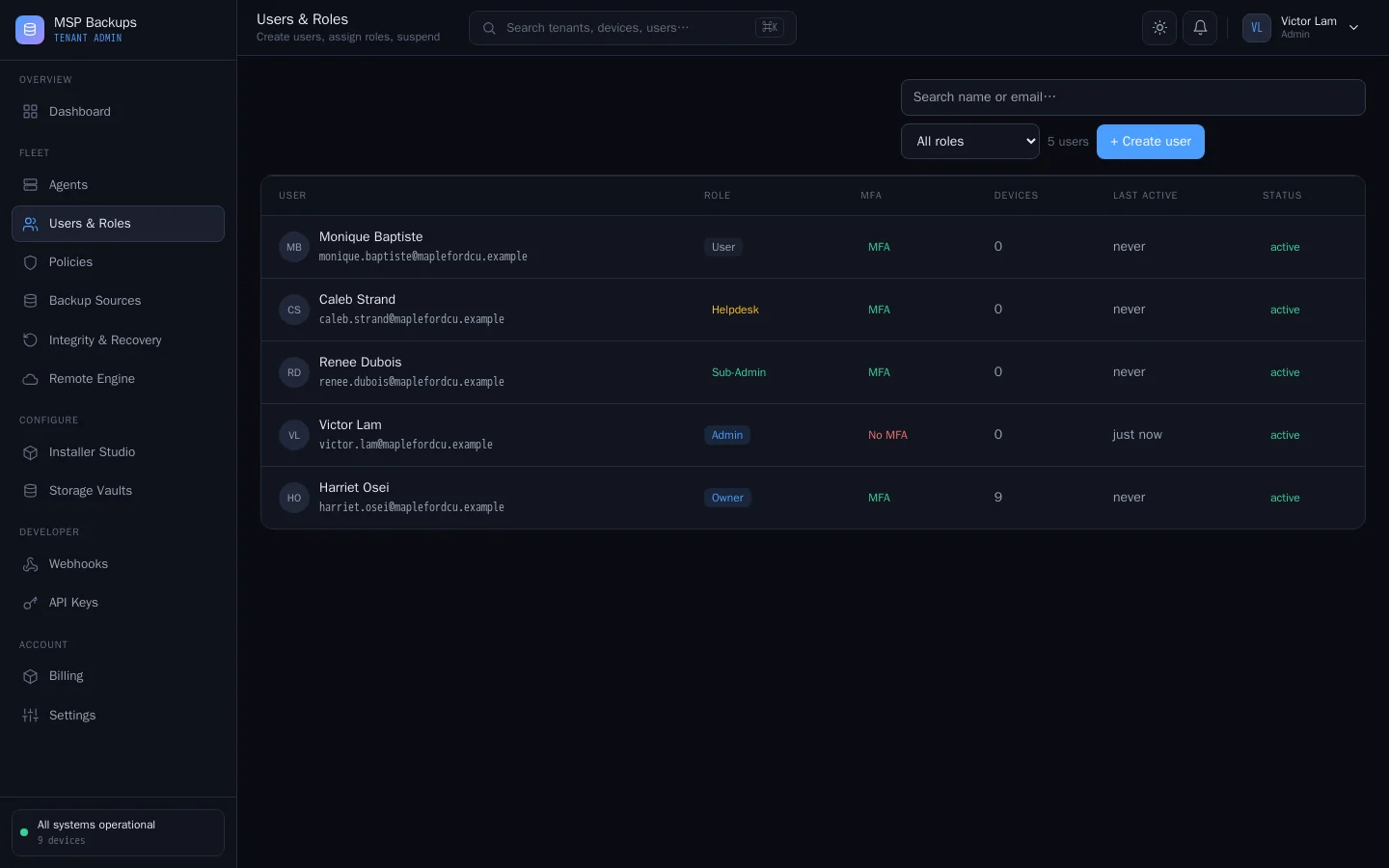
Roles
Owner, Admin, Sub-Admin, Helpdesk and User inside each tenant, and a permission matrix for your own team.
-
Audit log
Every change made through the portals, the API or an agent, with the actor, tenant, result and source IP, kept per tenant.
Works with CVN PSA
-
Backup status in the PSA
CVN PSA reads each device's backup status from your server every 15 minutes and shows it on the matching device.
-
Tickets for failed backups
A failed backup opens a High priority ticket in the PSA and a stale one opens a Normal ticket. Both resolve when the backup recovers.
-
One key for every client
An all-tenants API key covers current and future tenants. The PSA matches devices by hostname inside the client with the same name.
Also from CVN Technologies
More CVN software
Every CVN product is self-hosted, paid for once and carries your brand.
-
CVN PSA
Works with CVN PSA
CVN PSA is our self-hosted PSA for small MSPs. Connect it to MSP Backups and each device shows its latest backup result in the PSA. Failed or stale backups open tickets.
Visit CVN PSA -
CVN ERP
Not on sale yetRepair tickets, point of sale, inventory, accounting and payroll for computer repair shops.
Visit CVN ERP
MSP Backups is launching soon.
one price · yours forever · 1 year of updates and support included · renew for more