Policies and schedules
A policy sets, from the server, what a device backs up and how often. Devices fetch their policy before every backup, so a change applies on each device's next run.
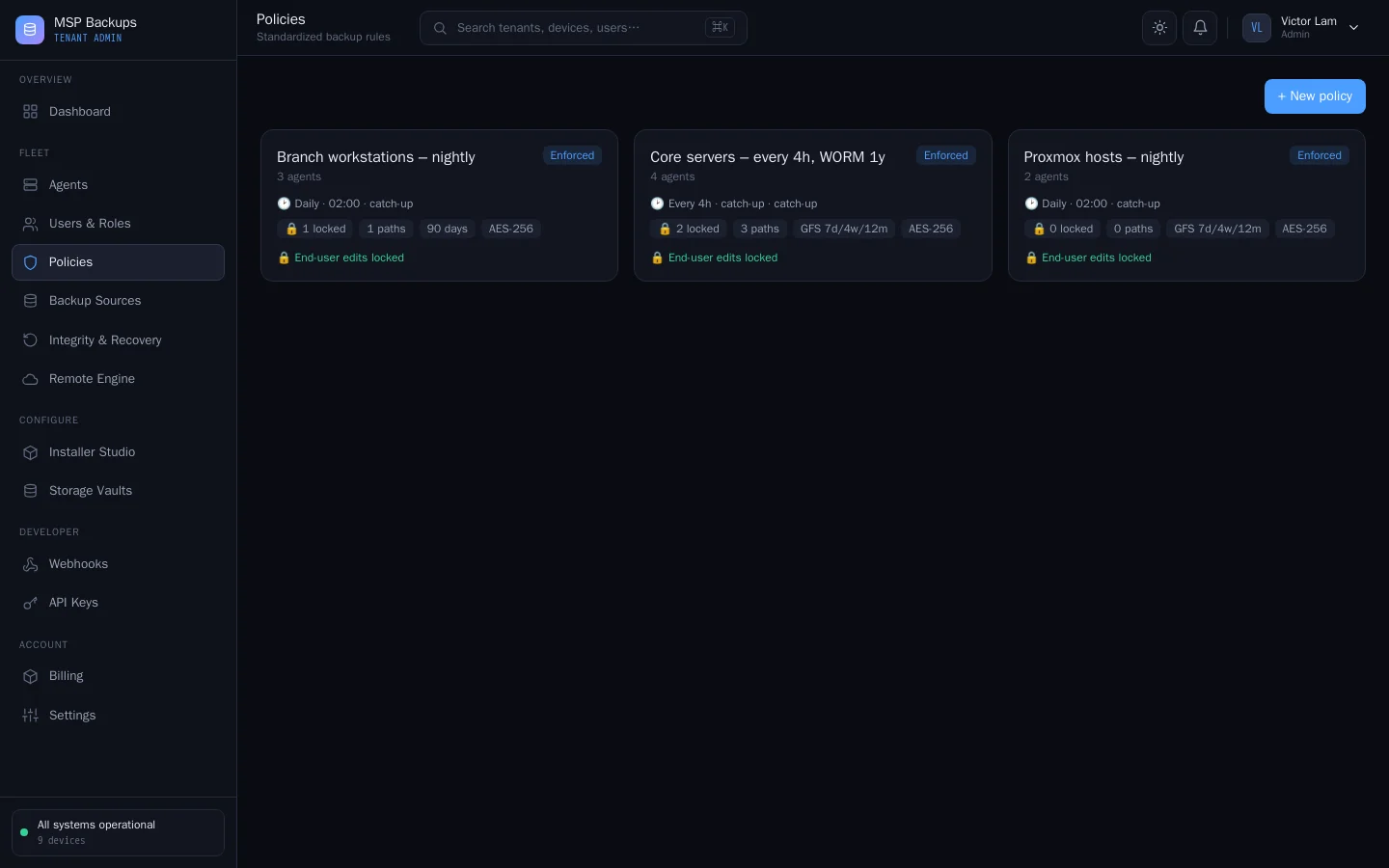
Create a policy
- In the tenant admin portal, open Policies and create one.
- Name it.
- Turn on Enforce policy. An enforced policy overrides the device's own settings.
- Leave Prevent end-user edits on to mark the policy as locked. With Enforce policy on, the agent uses the policy's folders and schedule whatever a user changes in the desktop app.
- Choose the Schedule.
- Add Locked folders and Path filters: the folders to back up. The agent backs up the combined list of both.
- Set Keep days. See below.
- Save, then assign the policy to each device from the device's row in Agents.
What an enforced policy changes on the device
| Setting | Effect |
|---|---|
| Folders | Replace the folders the user chose in the desktop app, and the folder the service was installed with |
| Schedule | Replaces the device's own schedule |
| Keep days | Sets the minimum S3 Object Lock period for new objects, if longer than the device's retention |
Each folder in the list becomes its own restore point on every run.
Schedules
| Schedule | Runs |
|---|---|
| Hourly | Every hour |
| Every 4h | Every four hours |
| Daily | Every 24 hours |
| Weekly | Every seven days |
The schedule is an interval counted from the device's last backup, not a fixed clock time. If the device was off or offline when a backup was due, it runs as soon as the agent starts again.
Without an enforced policy, the device uses its own schedule: the one chosen in the Windows desktop app, or the default from the agent's configuration.
Retention
Which restore points a device keeps is set per device, not by the policy. See Retention.
Settings that are recorded but not yet applied
The policy editor also shows chunking, compression, cipher, disk concurrency, I/O priority, retention rule and a WORM switch. The current agent uses fixed values for these: content-defined chunking, Zstandard compression and AES-256-GCM, with object locks set as described in Immutability and ransomware. Changing these fields in a policy has no effect on backups.