Storage targets and replication
A storage target is where agents write encrypted chunks and manifests. You can run several, give each tenant its own, and mirror S3 targets to a second location.
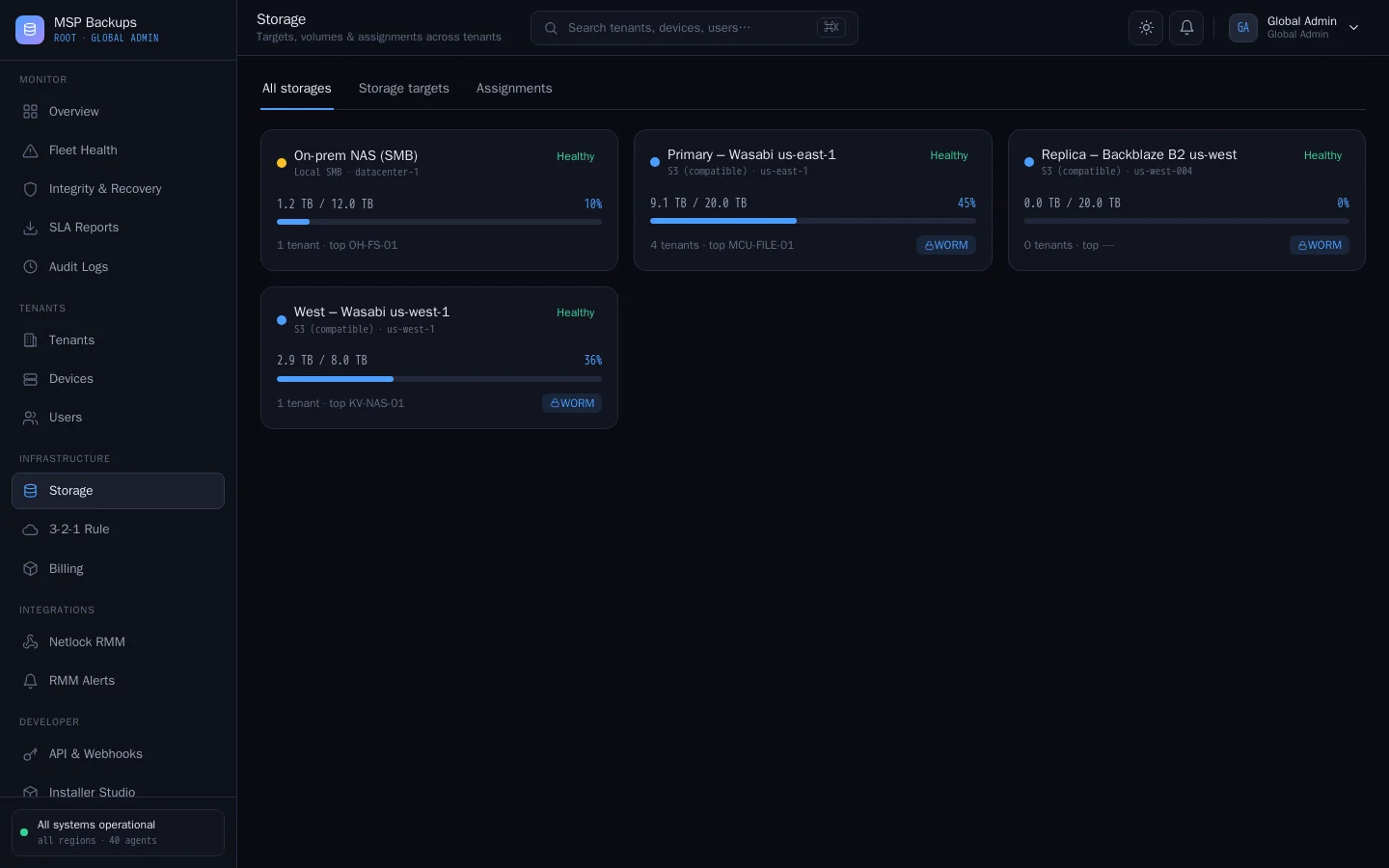
Target types
| Type | Use it for | Restore in the browser | Object Lock | Replication |
|---|---|---|---|---|
| S3 (compatible) | AWS S3, Wasabi, Backblaze B2, MinIO and other S3 services | Yes | Yes | Yes |
| SMB | A Windows or NAS share | No | No | No |
| NFS | A Linux or NAS export | No | No | No |
On SMB and NFS targets, agents mount the share and write into a folder on it. The server cannot read those shares, so files from SMB and NFS backups are restored by the agent (in place, or with cvn-agent restore), not downloaded in the browser.
Add a target
- In the global admin portal, open Storage and choose Add target.
- Pick the type. The form changes to match:
- S3: endpoint, region, bucket, access key and secret key. Tick Path-style addressing for MinIO and some other S3 services.
- SMB and NFS: the share path and, for SMB, the credentials.
- Set a capacity in GB if you want usage shown against a limit.
- Use Test connection before you save.
Secret keys and share passwords are encrypted before they are stored and are never shown again. Leave the field blank when editing to keep the stored one.
The server checks each target's health every five minutes and shows it in the list.
Assign targets to tenants
Under Storage > Assignments, choose which target each tenant uses, or let the tenant pick an active vault (below). Every tenant needs one or the other before its agents can back up: an agent with no target has nowhere to write.
Agents receive the tenant's target in their settings on every run, including its credentials, over their authenticated connection. Changing a tenant's target affects that tenant's next backups. Existing restore points stay where they were written.
Tenant-owned storage
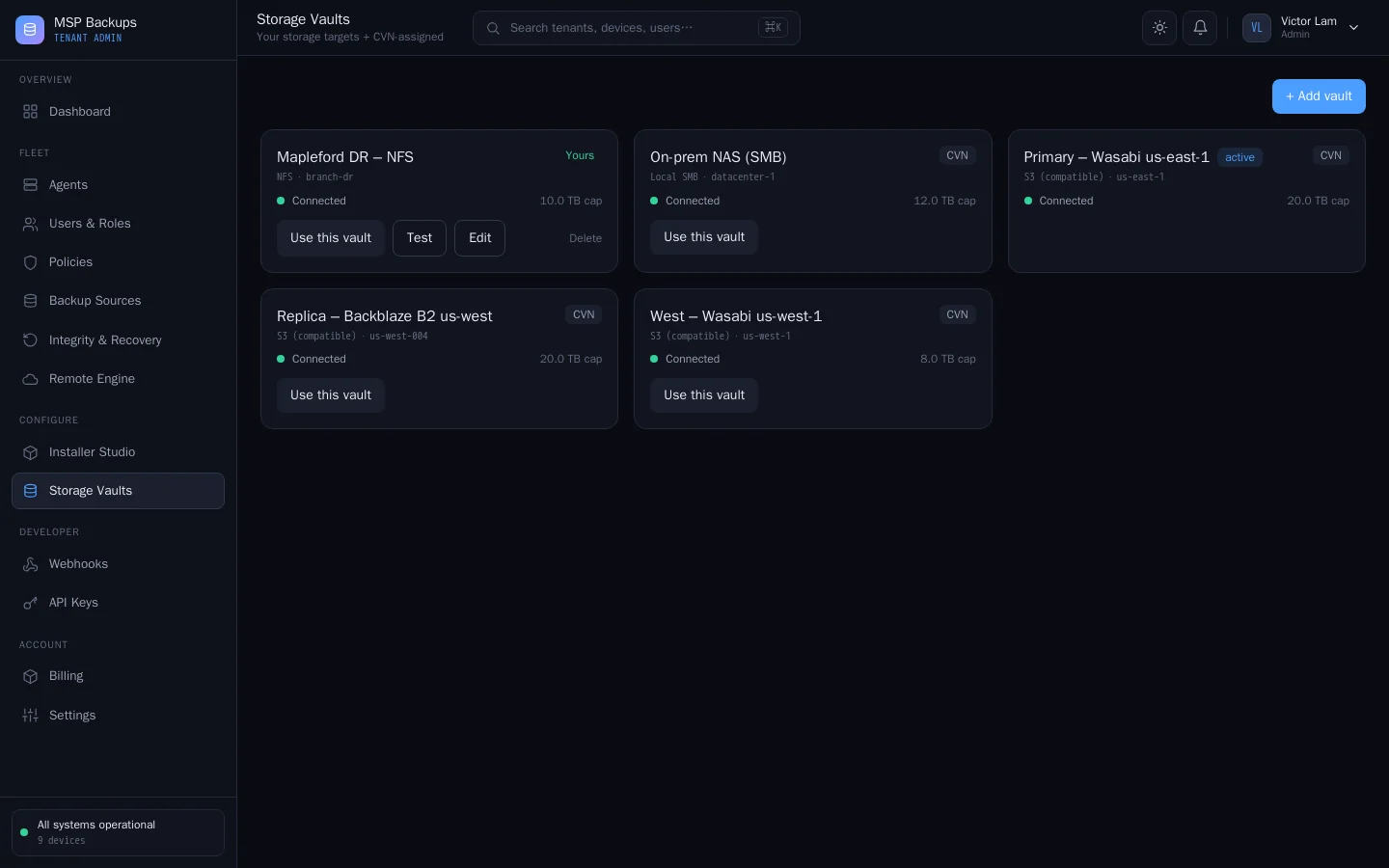
A tenant can bring its own storage. In the tenant admin portal, Storage Vaults lists the tenant's own vaults and the targets you provide. A tenant admin can:
- add a vault with the tenant's own S3, SMB or NFS details,
- test it, and
- make one vault the active one for the tenant's backups.
Connection test results shown to a tenant do not reveal details of your infrastructure.
Replication
Replication keeps a second copy of an S3 target in another S3 target, for an off-site copy.
- Edit the primary S3 target and choose the secondary target under Replicate critical data to.
- In Settings > Storage & retention, turn on Replicate to a secondary target.
With that switch on, the server copies new objects from each primary to its secondary every ten minutes. Objects already in the secondary with the same size are skipped, so repeat runs are cheap. Replicate now on the target runs a copy straight away.
Replication works between S3 targets only. The copy carries the same encrypted objects, so the secondary holds nothing readable either.
The 3-2-1 rule
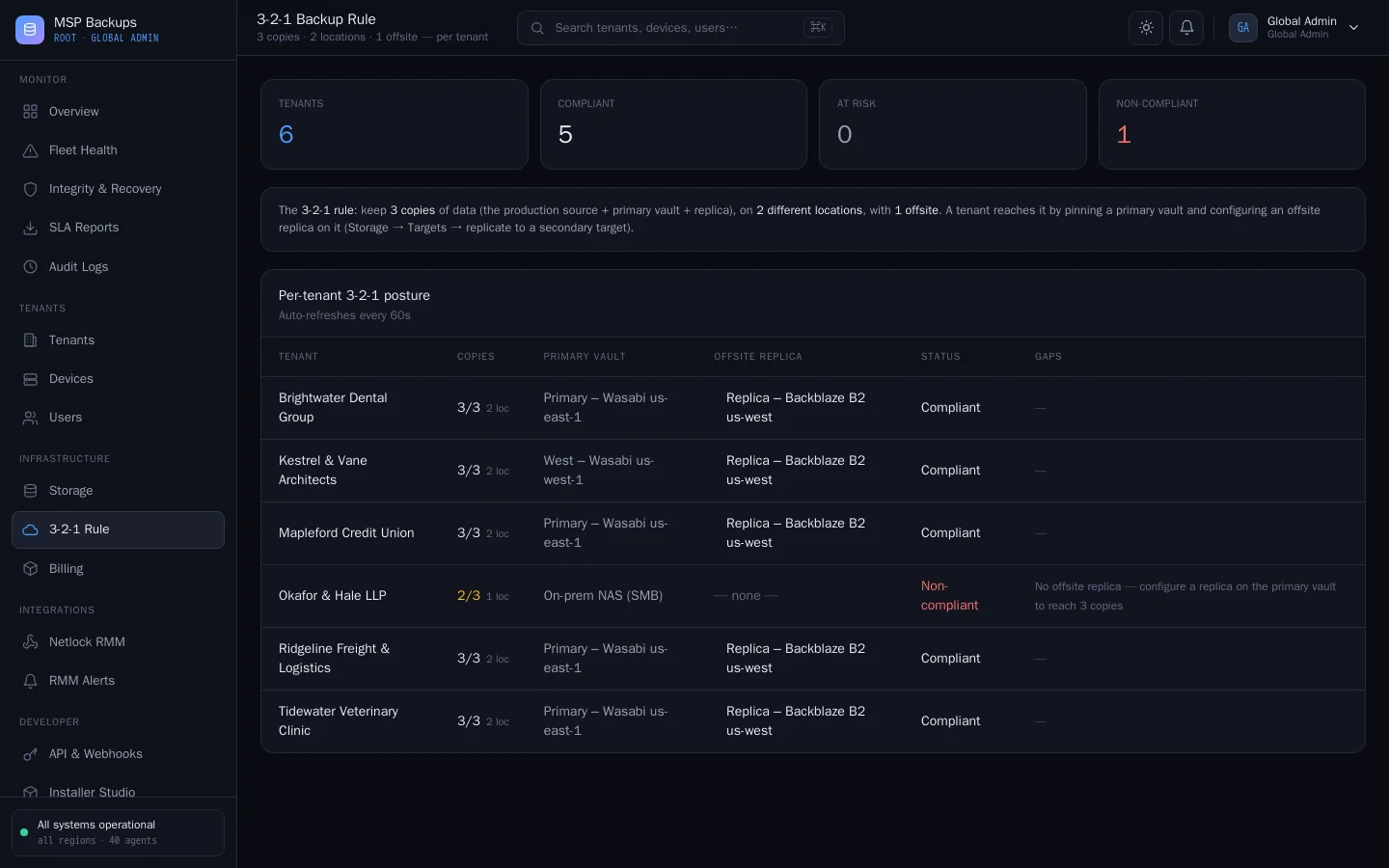
The 3-2-1 Rule page checks every tenant against the rule of three copies, on two different media or locations, with one off-site:
| Copy | Counts as |
|---|---|
| 1 | The device's own live data, once it has at least one restore point |
| 2 | The tenant's primary target |
| 3 | That target's replica |
Two targets count as different locations when the provider, region or endpoint differs. A tenant is Compliant with all three, At risk when the third copy is missing or in the same place, and Non-compliant otherwise. The page names the gap to fix.
Storage caps and usage
Each tenant has a hard cap in GB, set on the tenant. Usage counts the new data each backup actually wrote, after deduplication and compression. When a tenant reaches its cap, new restore points are refused until space is freed or the cap is raised. A warning is raised, and a quota.warning webhook fires, when usage passes the warning level, 85% by default (Settings > Notifications).