Users and roles
There are two kinds of account: your own team, who work in the global admin portal, and each tenant's users, who work in that tenant only.
Tenant roles
| Role | Can |
|---|---|
| Owner | Everything in the tenant: users, policies, storage, logs, restores |
| Admin | The same as Owner |
| Sub-Admin | Manage policies, view logs, restore |
| Helpdesk | View logs only |
| User | Restore their own files |
Owners and Admins can add users, change roles, suspend users, reset a user's MFA and send a password-reset email. Nobody inside a tenant can give anyone a role above the tenant roles.
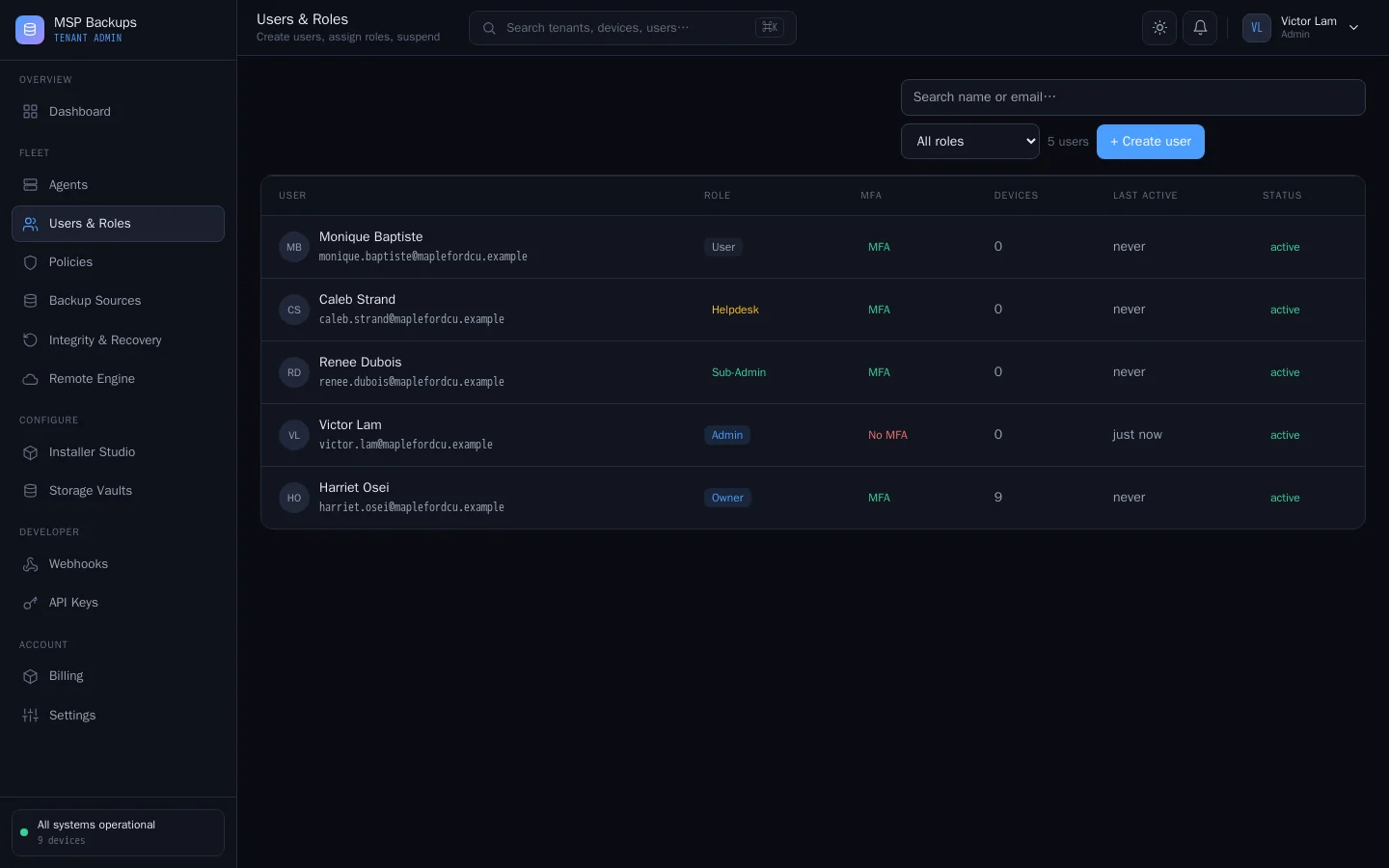
Add a tenant user
- In the tenant admin portal, open Users & Roles and add a user.
- Enter their email and choose a role.
- Send them a password-reset email so they set their own password. Without SMTP, the link is written to the server log for you to pass on.
The user list shows each person's role, MFA status, devices and last activity.
Your team
In the global admin portal, Settings > Team & roles manages your own staff. Invite someone by email and give them one of these roles:
| Role | Typical use |
|---|---|
| Global Admin | Full control of the platform |
| Billing Admin | Billing and invoices |
| Support / Helpdesk | Supporting tenants |
| Auditor | Reading logs |
| Storage Operator | Storage targets |
The permission matrix on the same page sets what each role can do, across logs, tenants, storage, billing, team, API, impersonation and maintenance. Only a Global Admin can grant the Global Admin role or edit the matrix, and the platform will not let you remove or suspend the last active Global Admin.
Passwords
- The minimum password length is set in Settings > Security & access (12 by default, 8 to 128).
- Users can reset a forgotten password from the sign-in page. That link is valid for one hour. Links sent by an admin are valid for 24 hours.
- Passwords are stored as Argon2id hashes.
See Security for MFA, single sign-on and sessions.