Tenants
Each of your clients is a tenant. A tenant has its own users, devices, restore points, policies, backup sources, storage settings, branding, API keys, webhooks and audit log.
How tenants are kept apart
Every tenant-owned row in the database carries the tenant's ID, and PostgreSQL row-level security filters every query by it. The application connects as a database role that cannot bypass those rules. For each request the server sets the tenant it is working for, so even a bug in a query cannot return another tenant's rows.
In storage, each device's chunks are encrypted under that device's own key and named with a keyed hash, so tenants sharing a storage target cannot read or recognise each other's data.
Create and manage tenants
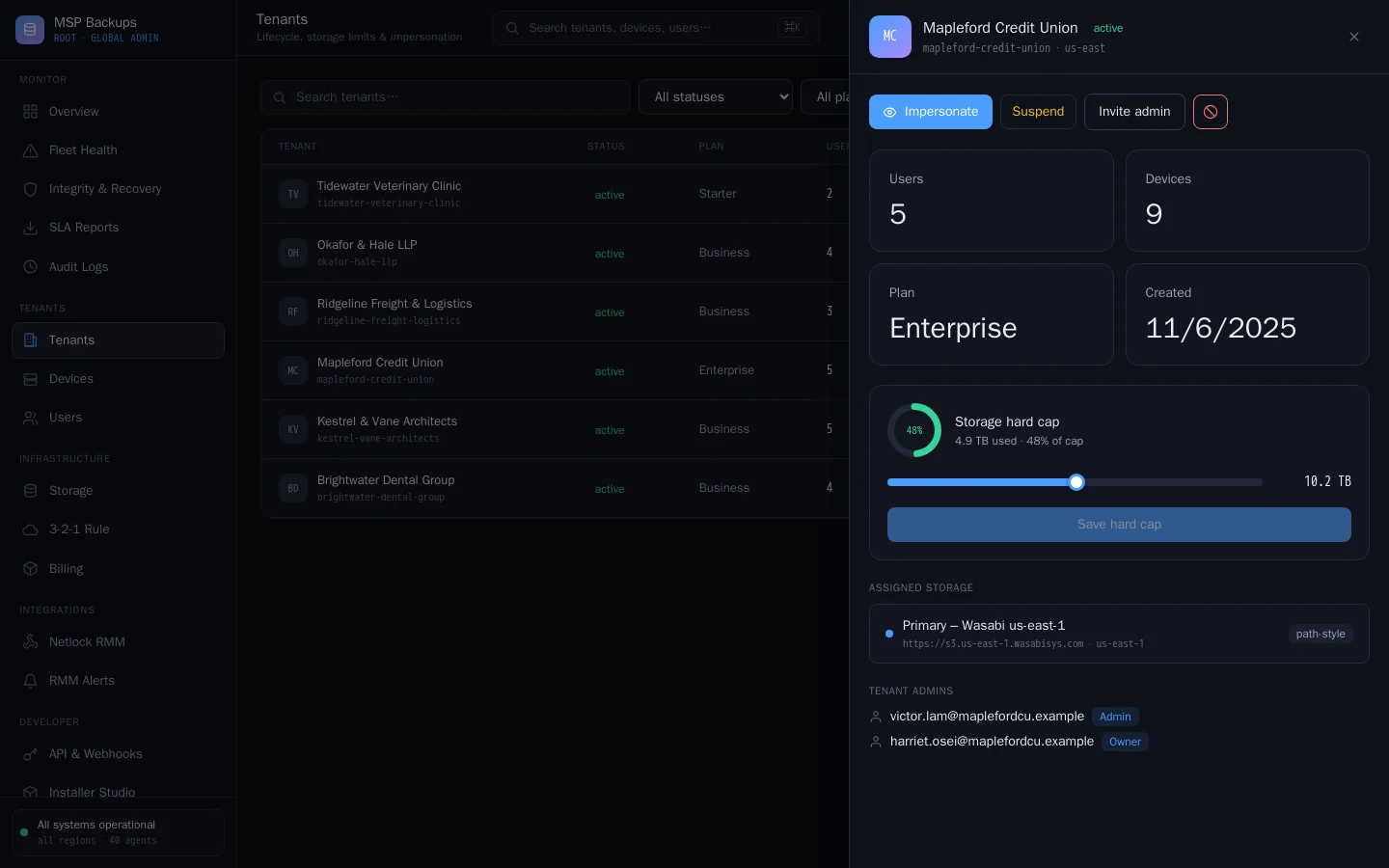
In the global admin portal, Tenants lists every tenant with its plan, users, devices and storage against its cap. Open a tenant to:
| Action | What it does |
|---|---|
| Set the storage cap | A hard limit in GB. 0 means unlimited. See Storage targets and replication. |
| Assign storage | The target the tenant's agents write to |
| Impersonate | Open the tenant's admin portal with Owner rights. A banner takes you back. Impersonation is recorded in the audit log under your own account. |
| Invite an admin | Emails the client's administrator a set-password link valid for 24 hours |
| Suspend | Stops the tenant's users signing in, until you set it back to active |
| Terminate | Marks the tenant as terminated. Its users cannot sign in. |
| Export | Downloads a JSON file with the tenant's users, devices, restore-point records, policies and recent audit events. Password hashes, MFA secrets and storage keys are left out. |
| Delete | Permanently deletes the tenant and all its records on the server. You must type the tenant's slug to confirm. |
Delete removes the server's records, including the restore-point list. It does not remove encrypted objects already in storage. Clear those from the storage side once any Object Lock has ended.
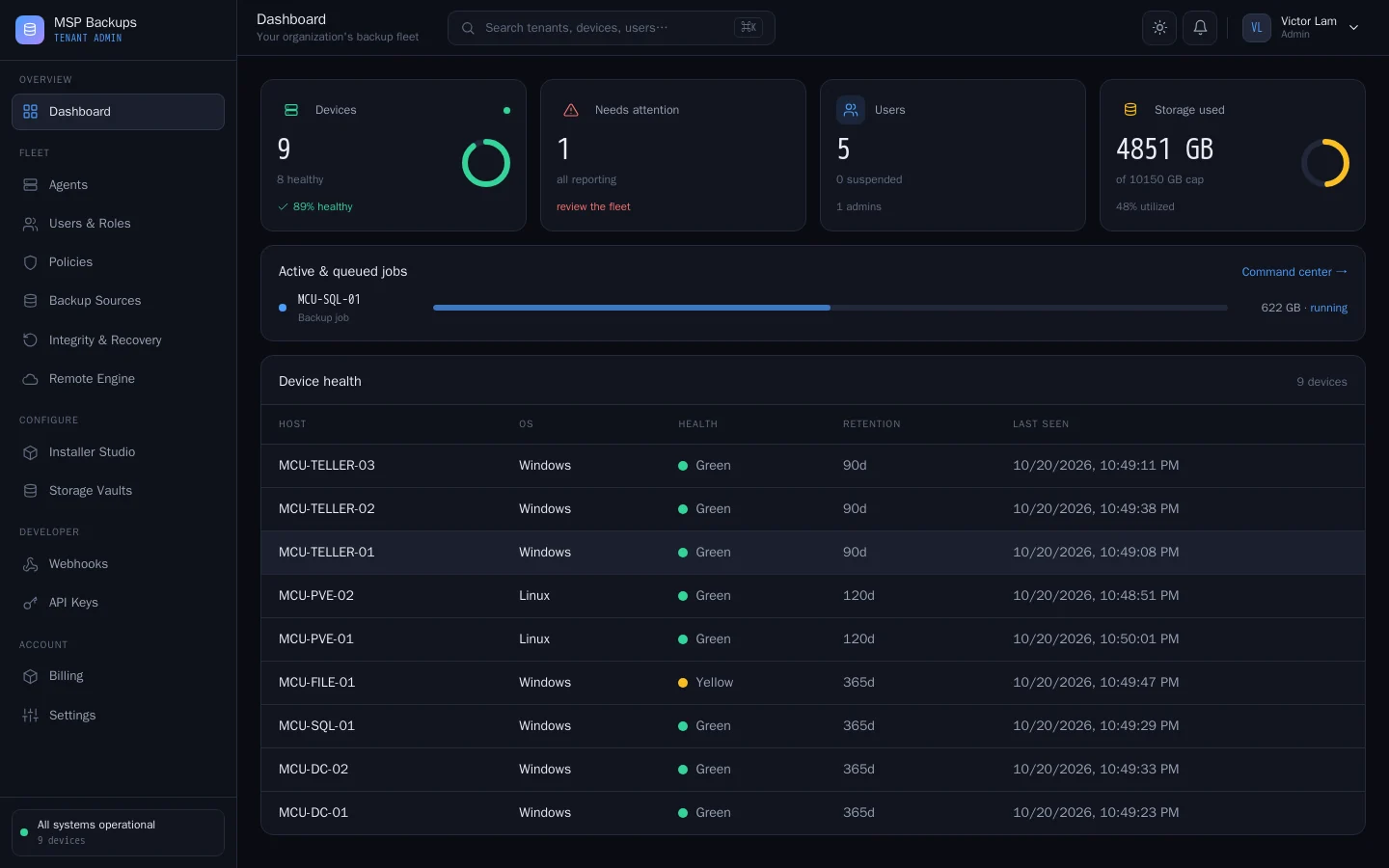
The tenant admin portal
What a client's administrator (or you, while impersonating) sees:
| Page | Purpose |
|---|---|
| Dashboard | Device health, live and queued jobs, storage against the cap |
| Agents | Every device, its version, IP and policy, Back up now and retention |
| Users & Roles | The tenant's users, their roles, MFA status and devices. See Users and roles. |
| Policies | Enforced schedules, retention and folders. See Policies and schedules. |
| Backup Sources | Databases and Proxmox guests. See Databases and Proxmox sources. |
| Integrity & Recovery | The weekly recovery check result for each device |
| Remote Engine | Live job console, and Backup, Prune and Update commands |
| Installer Studio | Branded agent installers and enrolment tokens |
| Storage Vaults | The tenant's own storage, and which target is active |
| Webhooks, API Keys | Integrations scoped to this tenant. See API and webhooks. |
| Billing | The tenant's invoices and cards, if you bill through the platform |
| Settings | Account, organisation, security (MFA, sessions, IP allow-list) and branding |
The user portal
A client's staff see only the user portal: a dashboard of their backups, Time Machine, File Explorer, Restores, an Activity Log, Get the Agent and their account settings.